Animating insertion and removal in SwiftUI
Use transitions and animation to control how views enter and leave the hierarchy.
Read the Korean original on Velog ↗English translation

Animating a view's position or color is different from animating its insertion or removal. Understanding that distinction also helps explain why a removal transition can sometimes appear not to run.
Animated transitions
Apply a transition to a conditionally displayed view, then animate the state change that inserts or removes it.
struct TransitionStudy: View {

    @State var isAnimation: Bool = false

    var body: some View {
        VStack {
            Button("Button") {
            	// Apply an animation
                withAnimation {
                    isAnimation.toggle()
                }
            }
            Spacer()
            if isAnimation {
                RoundedRectangle(cornerRadius: 24)
                    .frame(height: UIScreen.main.bounds.height / 2)
                    // Apply a transition
                    .transition(.slide)
            }
        }
        .edgesIgnoringSafeArea(.bottom)
    }
}
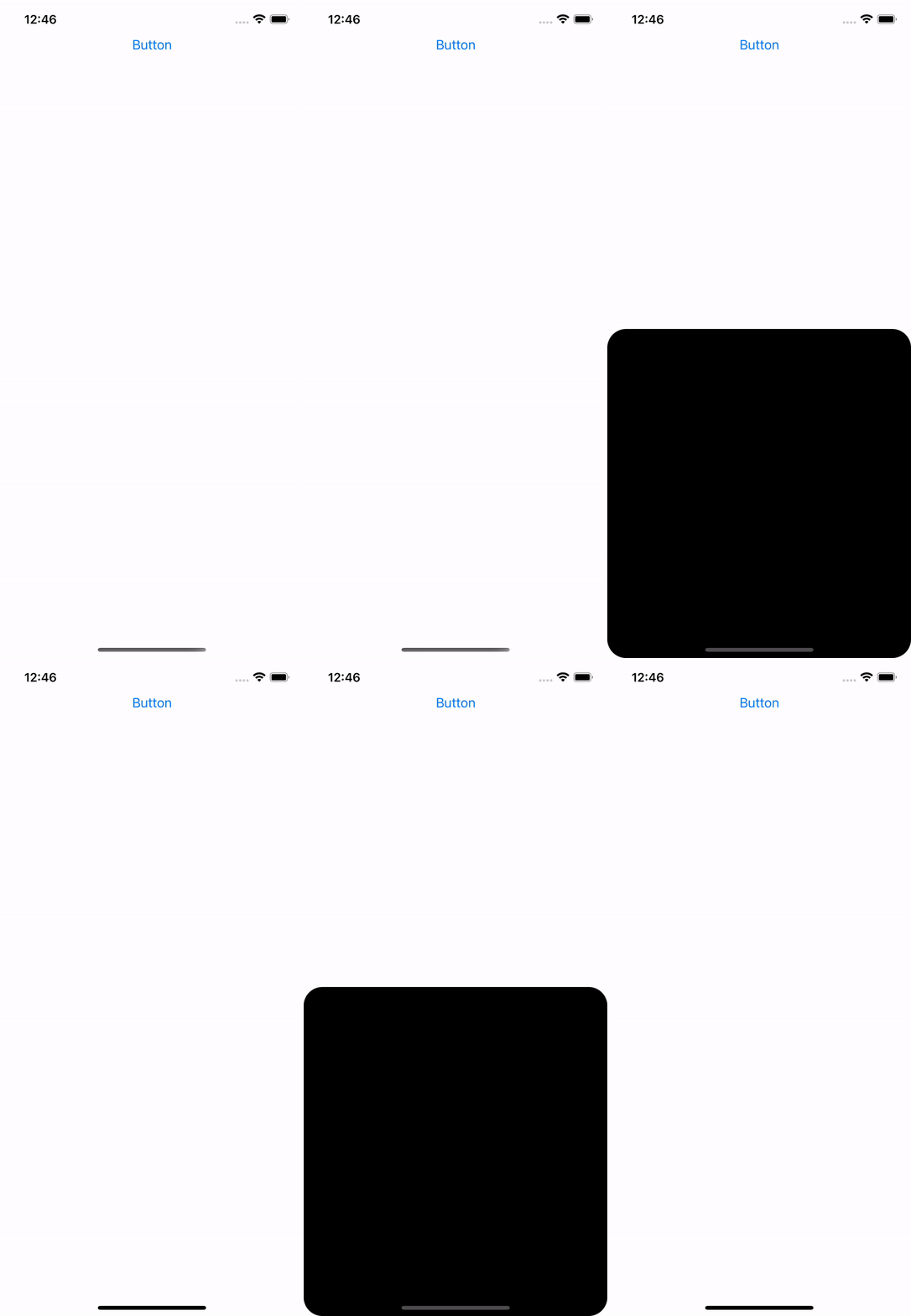
Transition types
AnyTransition provides several effects for inserting and removing views.
.transition(.opacity)
.transition(.scale)
.transition(.slide)
.transition(.move(edge: .leading))
.transition(.push(from: .leading))
.transition(.offset(y: 100))
Use asymmetric to give insertion and removal different effects.
.transition(.asymmetric(
	insertion: .move(edge: .leading), // Insertion transition
	removal: .opacity // Removal transition
))
Use combined to apply multiple transition effects together.
.transition(.opacity.combined(with: .scale))
When a removal seems not to animate
In a layered layout, the disappearing view can move behind another view and make its animation look absent. Setting an explicit zIndex can preserve the intended stacking order during removal.
struct TransitionStudy: View {

    @State var isAnimating = false

    var body: some View {
        ZStack {
            Color.green
            	.zIndex(-1) // Set the background's zIndex
                .ignoresSafeArea()
                .onTapGesture {
                    withAnimation(.easeInOut) {
                        isAnimating.toggle()
                    }
                }
            if isAnimating {
                RoundedRectangle(cornerRadius: 24)
                    .zIndex(1) // Set the foreground's zIndex
                    .transition(.move(edge: .bottom))
                    .onTapGesture {
                        withAnimation(.easeInOut) {
                            isAnimating.toggle()
                        }
                    }
            }
        }
    }
}