Creating and applying colors in SwiftUI
Use system colors, custom values, and asset colors, and apply them to views and shadows.
Read the Korean original on Velog ↗English translation

Choosing a color and managing it in code are separate concerns. System colors and asset colors can also respond to the current appearance.
System colors
SwiftUI provides predefined colors that can be used directly.
RoundedRectangle(cornerRadius: 24.0)
	.frame(width: 300, height: 200)
    .fill(Color.red) // System red
    .fill(Color.primary) // System primary color that adapts to appearance
    .fill(Color(UIColor.secondarySystemBackground) // UIKit system color that adapts to appearance
Custom colors
Define a named color in the asset catalog and refer to it from code.
- Add a Color Set to the asset catalog and give it a name.
- Configure its appearance variants in the inspector. Choose a single appearance when the color should remain the same in every mode.
- Load the color using its name.
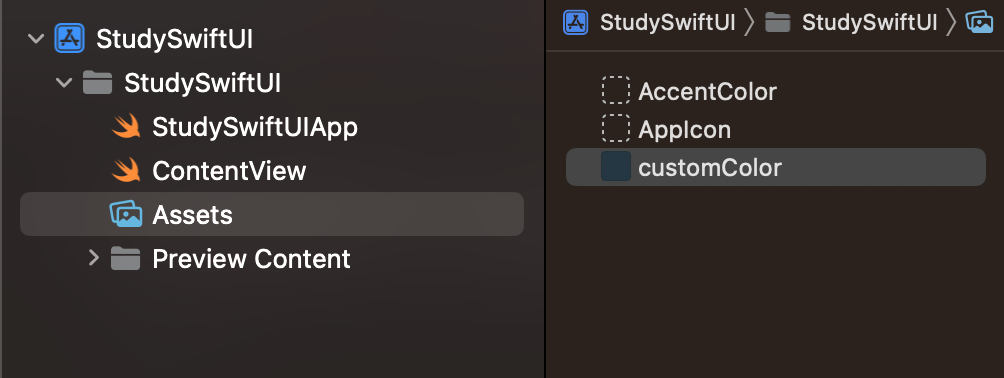
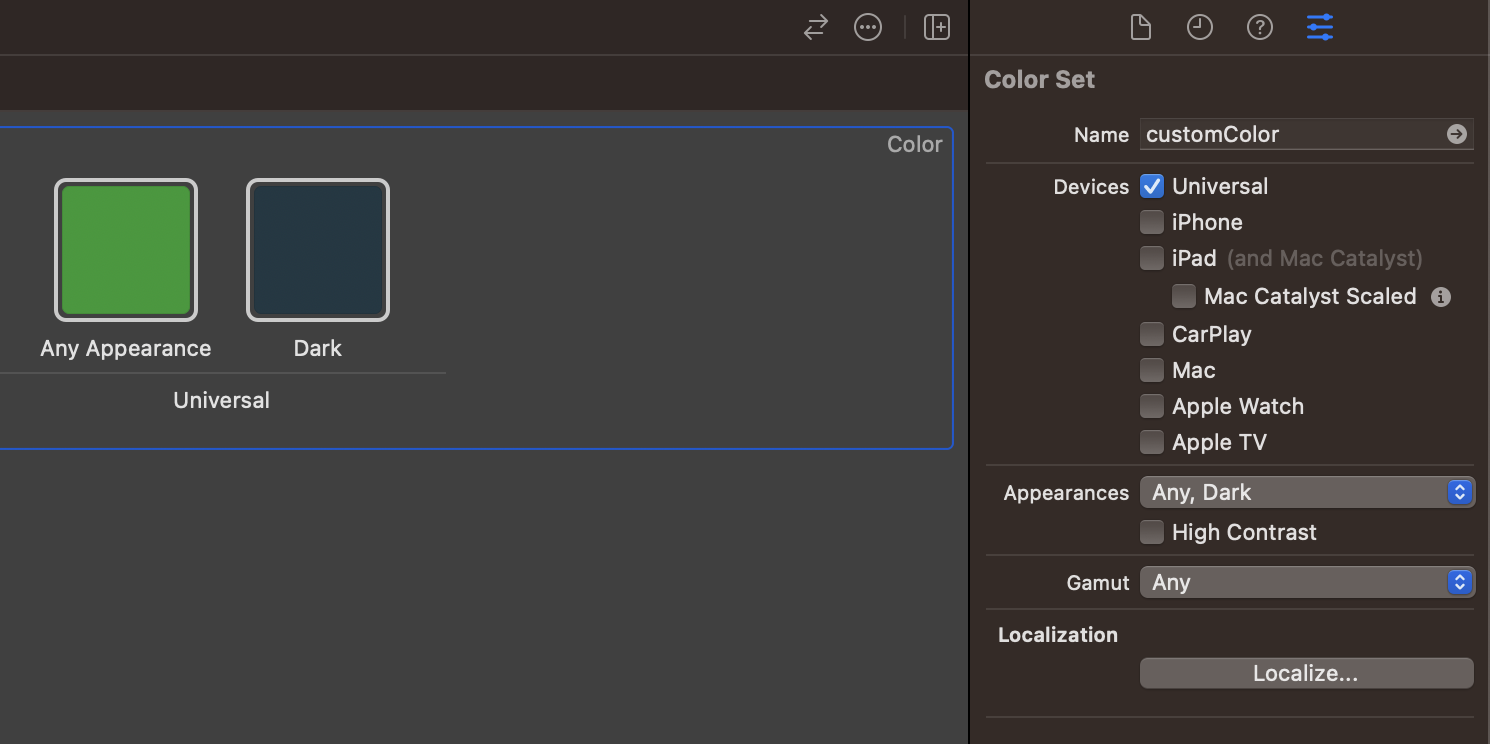
RoundedRectangle(cornerRadius: 24.0)
	.frame(width: 300, height: 200)
    .fill(Color("customColor")) // Load the named asset color customColor
Shadows
Add a shadow to a view and choose its color.
Rectangle()
	.frame(width: 300, height: 200)
	.shadow(color: Color("customColor"), radius: 16, x: 8, y: 8) // Shadow using customColor