Object state and ownership in SwiftUI
Compare ObservableObject, @Published, @ObservedObject, and @StateObject, with a focus on ownership and lifetime.
Read the Korean original on Velog ↗English translation

As a screen grows, keeping its data, logic, and interface in one structure becomes difficult. It matters not only how a view observes an object, but also who creates and owns that object.
Separating responsibilities
Separating code improves collaboration, maintenance, and extensibility. One useful division is the data model, the interface, and the logic that connects them.
// Model
struct FruitModel: Identifiable {
    let id: String = UUID().uuidString
    let name: String
    let count: Int
}

struct ViewModelStudy: View {

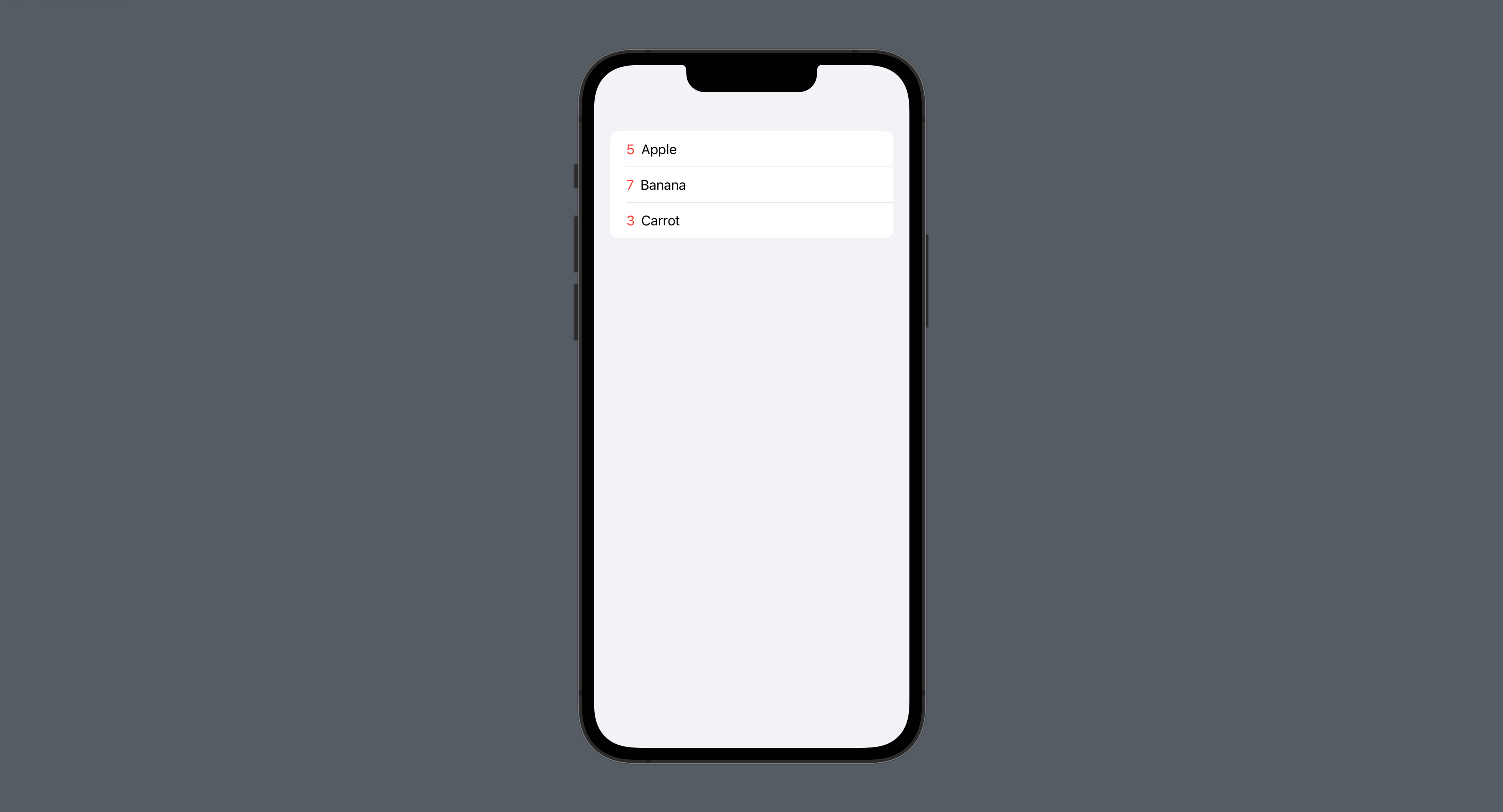
    @State var fruitArray: [FruitModel] = [
        FruitModel(name: "Apple", count: 5)
    ]

    // View
    var body: some View {
        NavigationStack {
            List {
                ForEach(fruitArray) { fruit in
                    HStack {
                        Text("\(fruit.count)")
                            .foregroundColor(.red)
                        Text(fruit.name)
                    }
                }
                .onDelete { indexSet in
                    deleteFruit(index: indexSet)
                }
            }
            .onAppear {
                getFruits()
            }
        }
    }

    // View model
    func getFruits() {
        let fruit1 = FruitModel(name: "Banana", count: 7)
        let fruit2 = FruitModel(name: "Carrot", count: 3)
        fruitArray.append(fruit1)
        fruitArray.append(fruit2)
    }
    func deleteFruit(index: IndexSet) {
        fruitArray.remove(atOffsets: index)
    }
}
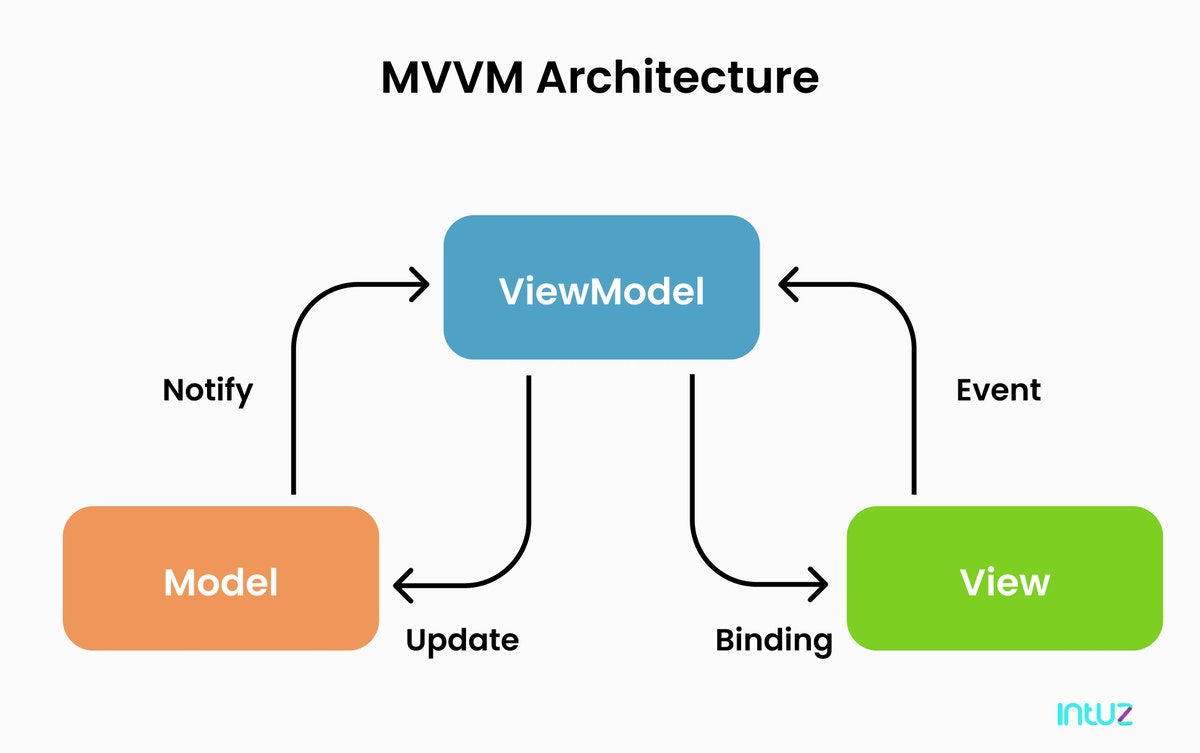
MVVM architecture Model–View–ViewModel is one way to organize these responsibilities in a SwiftUI application.
Model: the data
Represent application data separately using structures, arrays, and other suitable types.
struct FruitModel: Identifiable {
    let id: String = UUID().uuidString
    let name: String
    let count: Int
}
View model: logic and behavior
A view model can be a class conforming to ObservableObject. It holds the data and behavior the view needs and publishes changes. Properties that should notify observers can use @Published.
@Published Changes to a published property notify observers so SwiftUI can update views that depend on the object.
class FruitViewModel: ObservableObject {

    // Observe the data model
    @Published var fruitArray: [FruitModel] = [
        FruitModel(name: "Apple", count: 5)
    ]

    init() {
        getFruits()
    }

    func getFruits() {
        let fruit1 = FruitModel(name: "Banana", count: 7)
        let fruit2 = FruitModel(name: "Carrot", count: 3)
        fruitArray.append(fruit1)
        fruitArray.append(fruit2)
    }
    func deleteFruit(index: IndexSet) {
        fruitArray.remove(atOffsets: index)
    }
}
View: the interface
The view describes what the user sees and interacts with. It can observe a view model using @ObservedObject, or own one using @StateObject.
struct ViewModelStudy: View {

    // Observe the view model
    @ObservedObject var fruitViewModel: FruitViewModel = FruitViewModel()

    var body: some View {
        NavigationStack {
            List {
                ForEach(fruitViewModel.fruitArray) { fruit in
                    HStack {
                        Text("\(fruit.count)")
                            .foregroundColor(.red)
                        Text(fruit.name)
                    }
                }
                .onDelete(perform: fruitViewModel.deleteFruit)
            }
        }
    }
}
@ObservedObject versus @StateObject
Both wrappers let SwiftUI observe an object. The important difference is ownership and lifetime, not whether the entire view or only part of it is redrawn.
| Aspect | @ObservedObject | @StateObject |
|---|---|---|
| Updates | Observes published changes and invalidates dependent view content. | Observes published changes and invalidates dependent view content. |
| Lifetime | Observes an instance supplied and owned elsewhere. It does not provide persistent ownership for a newly created instance across view updates. | SwiftUI creates and retains the instance for the lifetime of the owning view's identity. |
| Typical use | A child view receiving an existing object. | A view responsible for creating and owning the object. |
struct ViewModelStudy: View {

    // The parent owns the model with @StateObject
    @StateObject var fruitViewModel: FruitViewModel = FruitViewModel()

    var body: some View {
        NavigationStack {
            List {
                ForEach(fruitViewModel.fruitArray) { fruit in
                    HStack {
                        Text("\(fruit.count)")
                            .foregroundColor(.red)
                        Text(fruit.name)
                    }
                }
                .onDelete(perform: fruitViewModel.deleteFruit)
            }
            .toolbar {
                ToolbarItem(placement: .navigationBarTrailing) {
                    NavigationLink {
                    	// Pass the same view model to the child
                        RandomScreen(fruitViewModel: fruitViewModel)
                    } label: {
                        Image(systemName: "arrow.right")
                    }

                }
            }
        }
    }
}

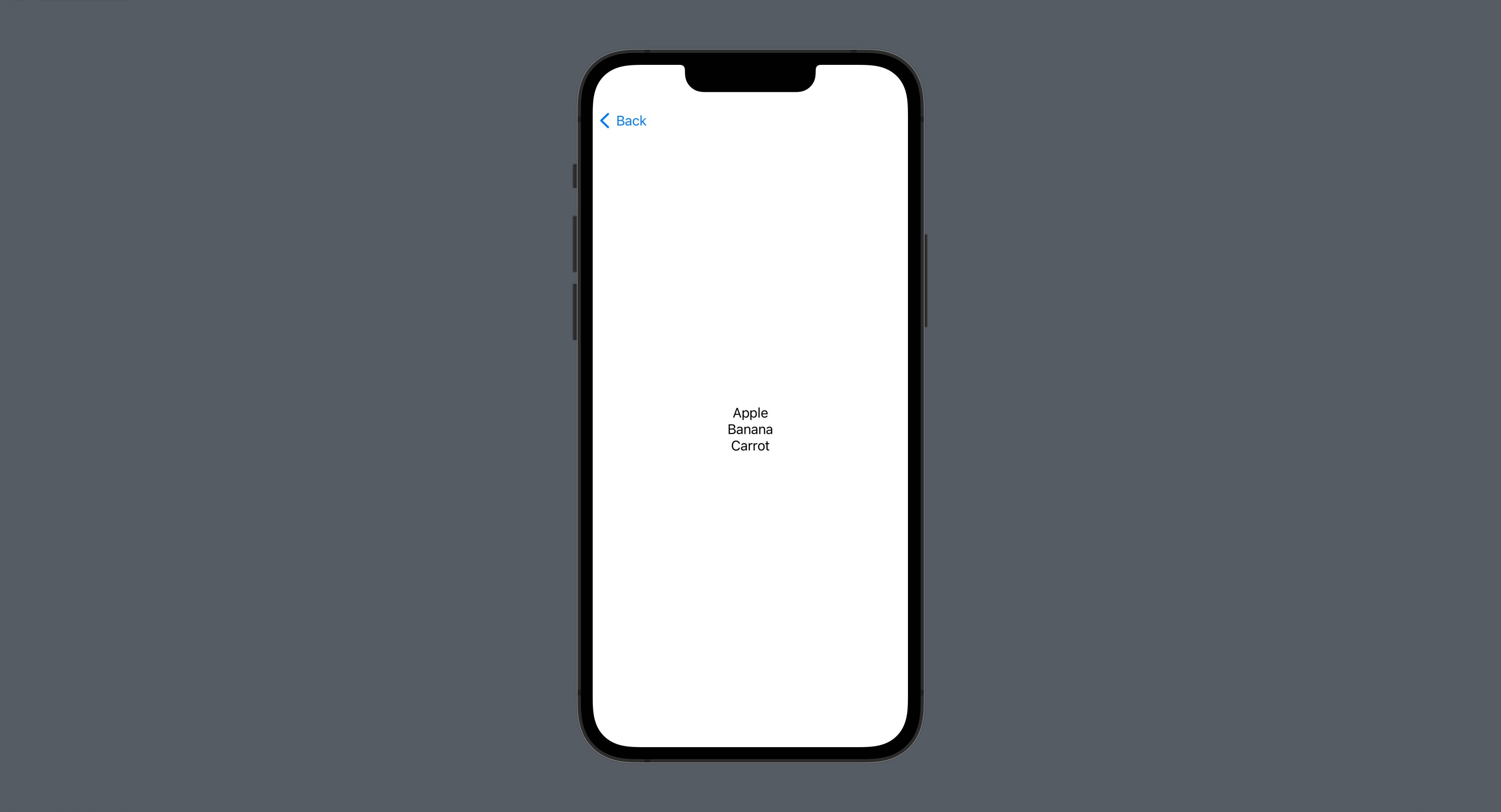
struct RandomScreen: View {

    // The child observes the supplied model
    @ObservedObject var fruitViewModel: FruitViewModel
    @Environment(\.presentationMode) var presentationMode

    var body: some View {
        VStack {
            ForEach(fruitViewModel.fruitArray) { fruit in
                Text(fruit.name)
            }
        }
    }
}
Further reading: Apple: StateObject.