When onAppear and onDisappear run
Use appearance callbacks for setup and cleanup while accounting for repeated appearances.
Read the Korean original on Velog ↗English translation

Loading data when a view appears and cleaning up when it leaves are common tasks. These callbacks are simple, but a view can appear more than once, so their timing matters.
onAppear
Runs the supplied action when the view appears.
struct OnAppearStudy: View {

    @State var myText: String = "Star Text"

    var body: some View {
        Text(myText)
            .font(.largeTitle)
            // Run when the view appears
            .onAppear(perform: {
            	// Run after three seconds
                DispatchQueue.main.asyncAfter(deadline: .now() + 3) {
                    myText = "Next Text"
                }
            })
    }
}
In a LazyVStack, a child's appearance can trigger its onAppear action as that content becomes active. Do not assume this happens only once during the application's lifetime.
struct OnAppearStudy: View {

    @State var count: Int = 0

    var body: some View {
        NavigationView {
            ScrollView {
            	// Load data on appearance
                LazyVStack {
                    ForEach(0..<20) { _ in
                        RoundedRectangle(cornerRadius: 20)
                            .frame(height: 200)
                            .padding()
                            // Run on appearance
                            .onAppear {
                                count += 1
                            }
                    }
                }
            }
            .navigationTitle("On Appear \(count)")
        }
    }
}
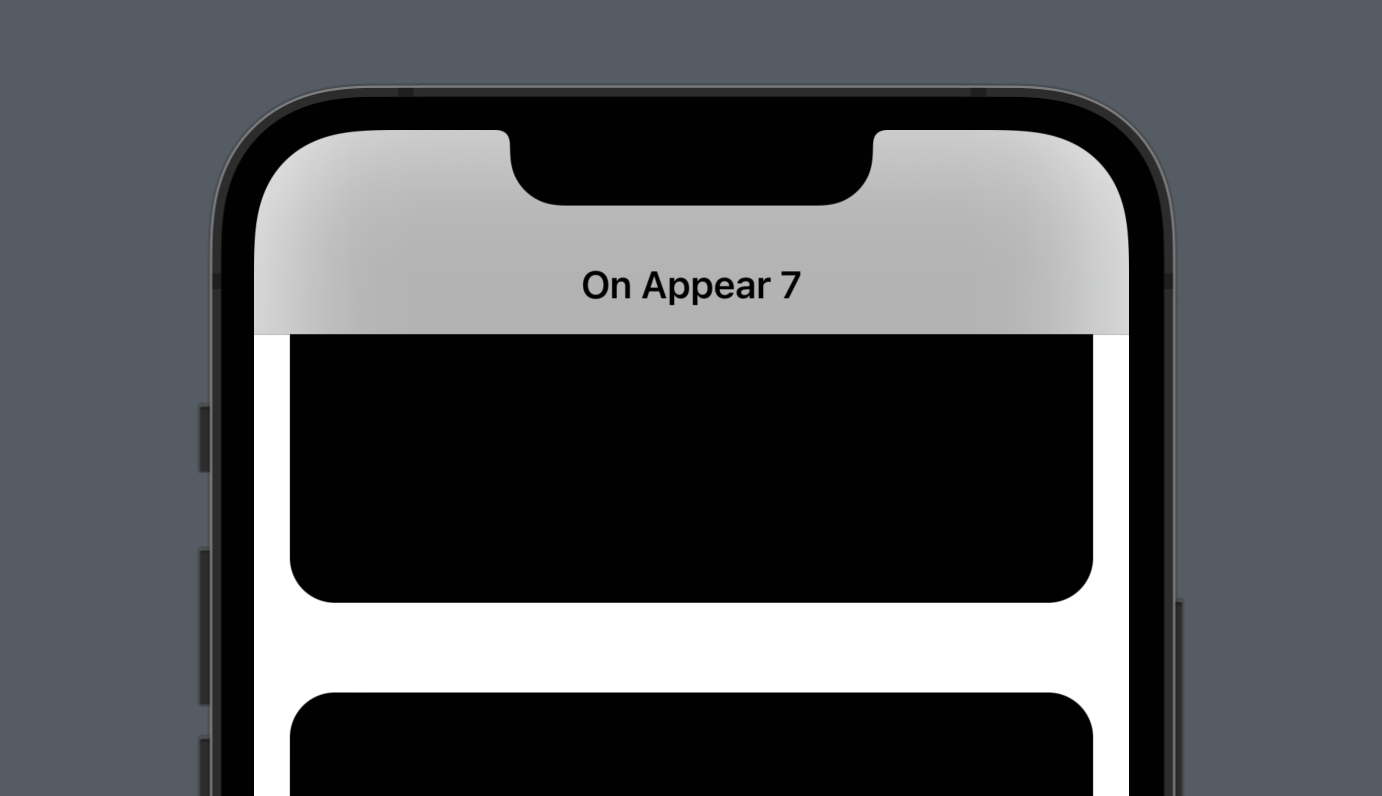
onDisappear
Runs the supplied action when the view disappears.
struct OnAppearStudy: View {

    @State var myText: String = "Star Text"

    var body: some View {
        Text(myText)
            .font(.largeTitle)
            // Run when the view disappears
            .onDisappear(perform: {
            	myText = "End Text"
            })
    }
}