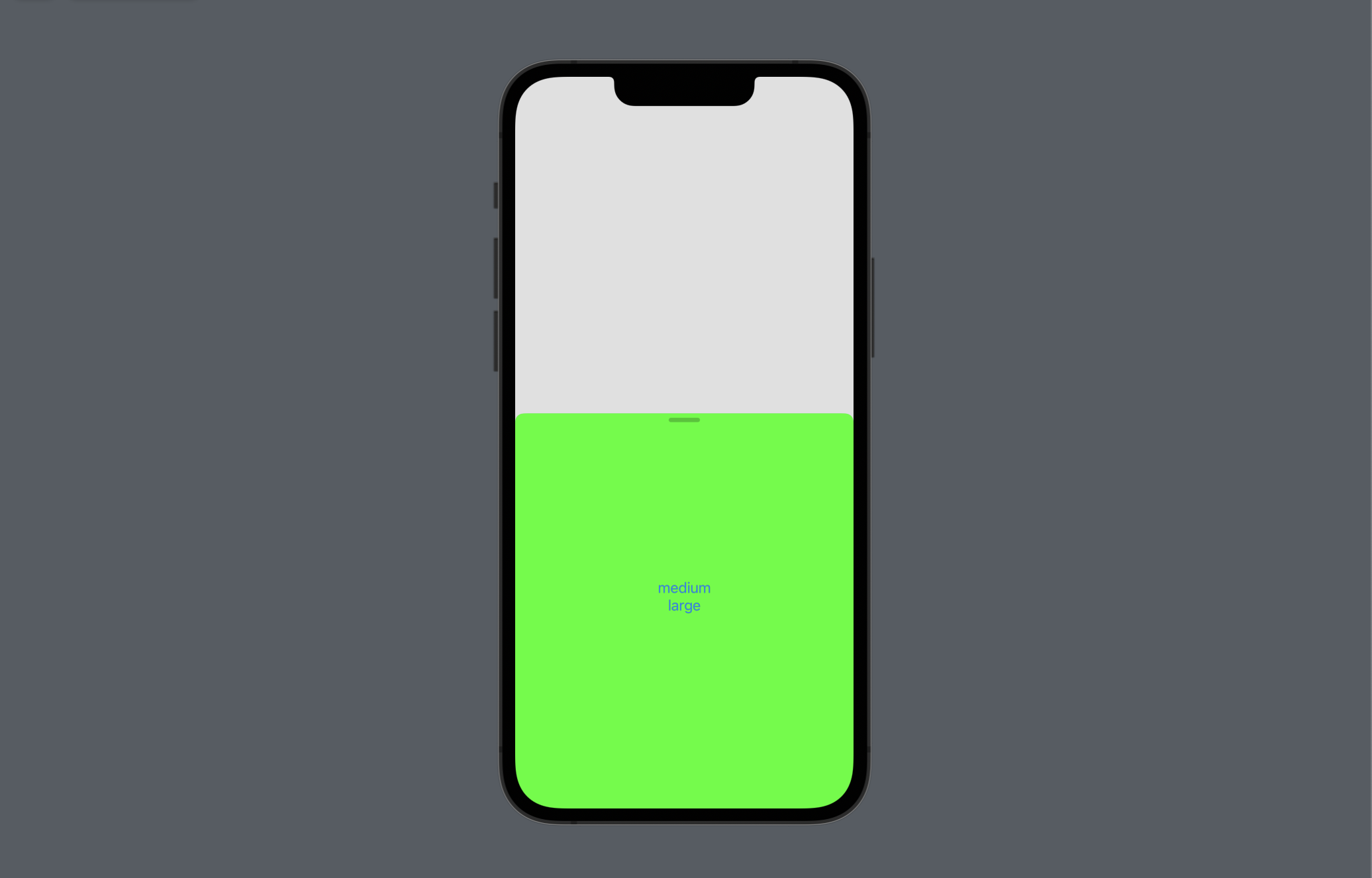
Resizable sheets with presentationDetents
Set available sheet heights and control the selected height with a binding.
Read the Korean original on Velog ↗English translation

A sheet does not always need to fill the screen. Detents let it start small for a short interaction and expand when more space is needed.
presentationDetents
- Use
presentationDetentsto specify a set of available sheet heights. - Detents can use a fraction of the available height, a fixed height, or a standard size such as
.mediumor.large. - A sheet with multiple sizes can show a drag indicator. Control its visibility with
presentationDragIndicator. - Use
interactiveDismissDisabledwhen the sheet should not be dismissed through its usual interactive gesture.
struct SheetStudy: View {

    @State var showSheet: Bool = false

    var body: some View {

        Button("Click Me") {
            showSheet.toggle()
        }
        .sheet(isPresented: $showSheet) {
            ModalView()
                .presentationDetents([
                	.fraction(0.1), // Custom fraction
                    .height(300), // Custom height
                    .medium, // Medium detent
                    .large // Large detent
                    ])
                // Hide the drag indicator
                .presentationDragIndicator(.hidden)
                // Disable interactive dismissal
                .interactiveDismissDisabled()
        }
        .onAppear {
            showSheet = true
        }
    }
}
Selection
The selection binding tracks the current detent and lets your code change it. Set it to a value included in the available detents.
struct SheetStudy: View {

    @State var showSheet: Bool = false
    @State var detents: PresentationDetent = .medium

    var body: some View {

        Button("Click Me") {
            showSheet.toggle()
            detents = .large
        }
        .sheet(isPresented: $showSheet) {
            ModalView(detents: $detents)
            	// Bind the selected detent
                .presentationDetents([.medium, .large], selection: $detents)
        }
        .onAppear {
            showSheet = true
        }
    }

}

struct ModalView: View {

    @Binding var detents: PresentationDetent

    var body: some View {
        ZStack {
            Color(.green).ignoresSafeArea()
            VStack {
                Button("medium") {
                    detents = .medium // Select the medium detent
                }
                Button("large") {
                    detents = .large // Select the large detent
                }
            }
        }
    }
}