Exemble Turning company knowledge into AI workflows
Exemble lets teams build AI workflows with their own data and models, then run them through chat. The platform runs on company infrastructure, bringing agents, tools, and internal knowledge into one place.
As the team’s sole designer, I led design from early product planning through the core user and admin experiences, covering chat, workflow building, permissions, and monitoring.
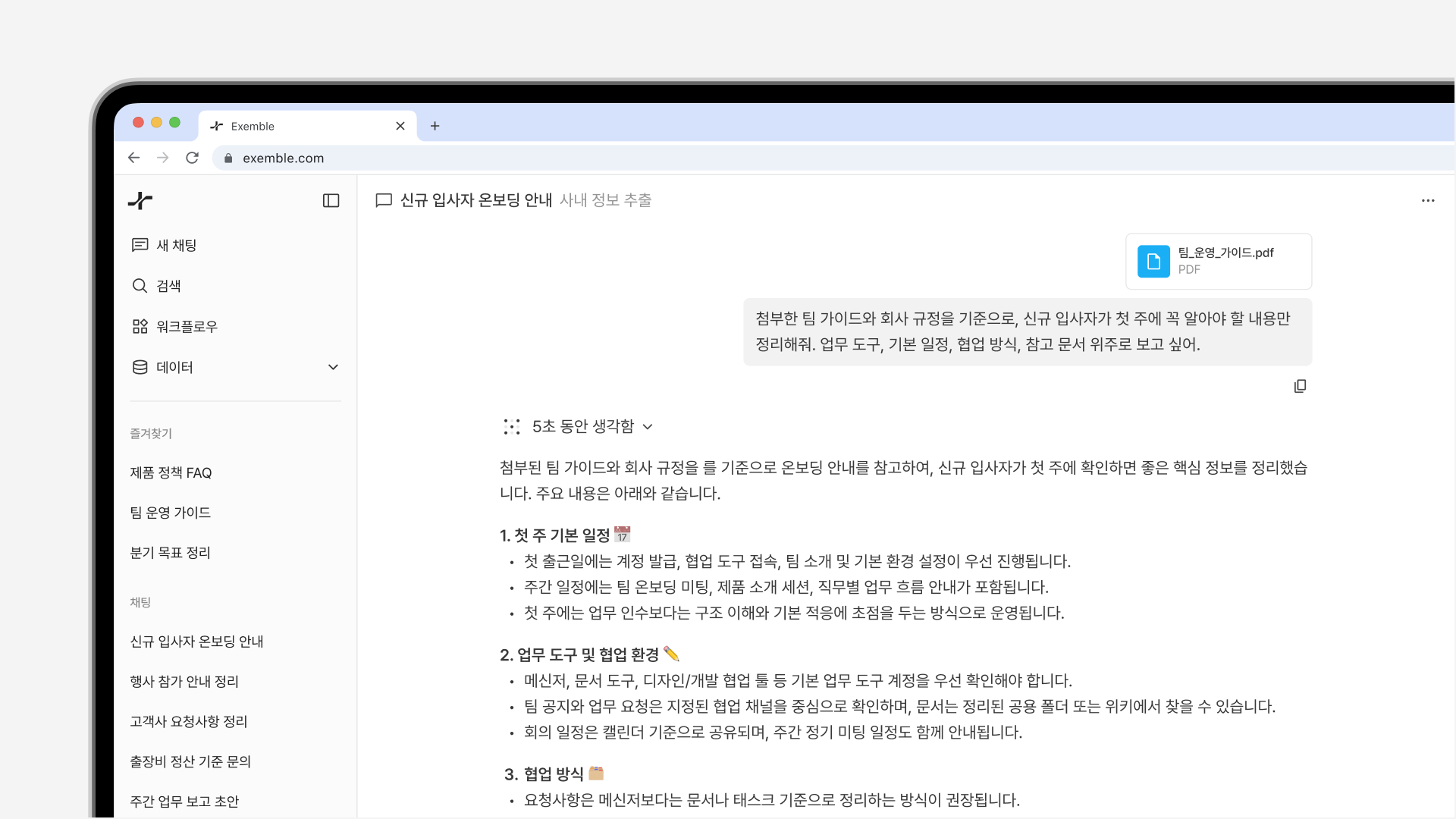
Bringing company knowledge into everyday work
Exemble needed to connect internal documents, external APIs, models, and permissions in one experience. Users needed a clear way to ask questions and run workflows, while administrators needed the tools to manage and oversee the process.
Different interfaces for different responsibilities
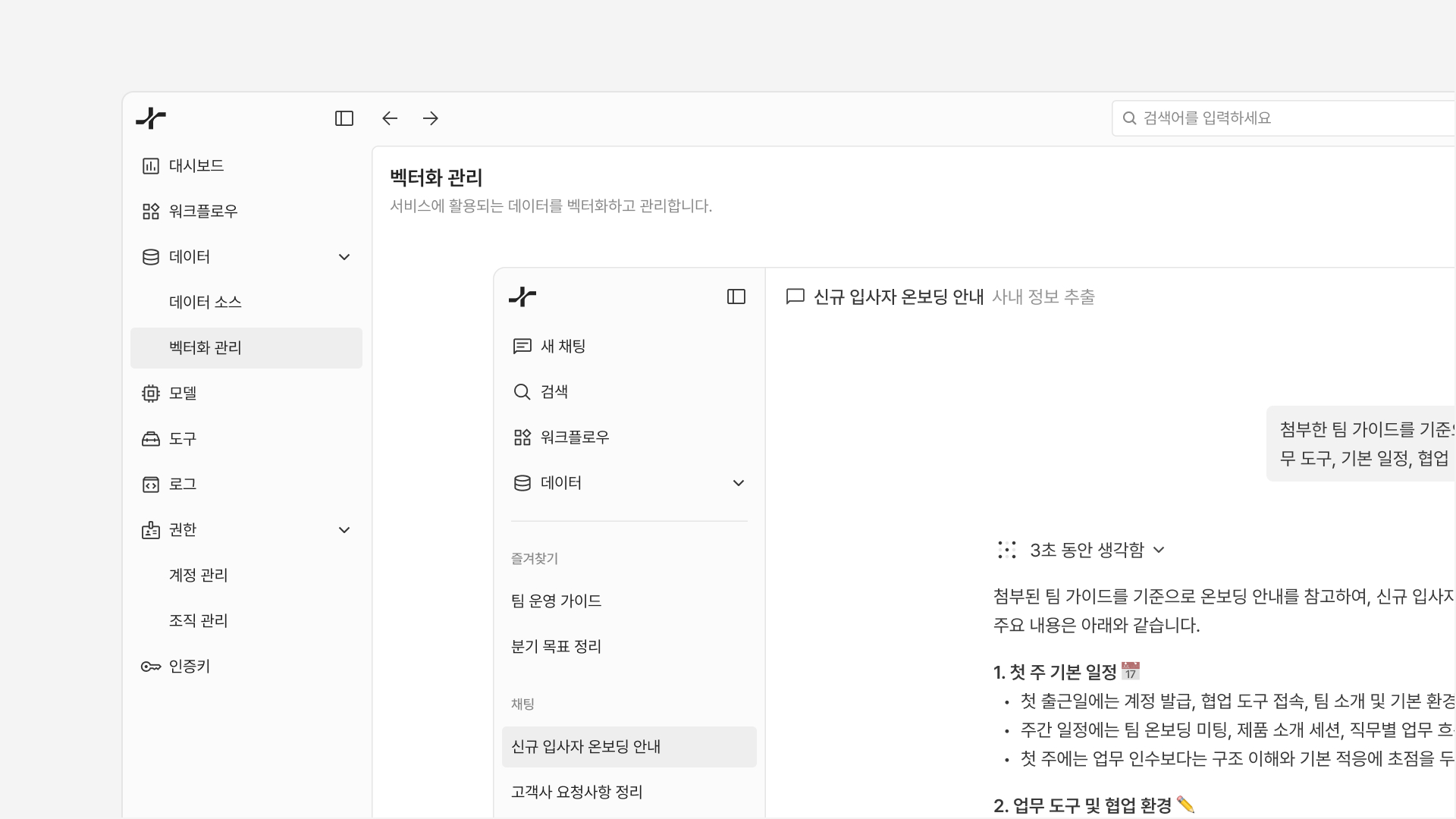
I separated the chat and workflow experience from the tools used to administer it. Layouts and information density reflect each audience’s needs: a focused flow for users and detailed resource controls for administrators.
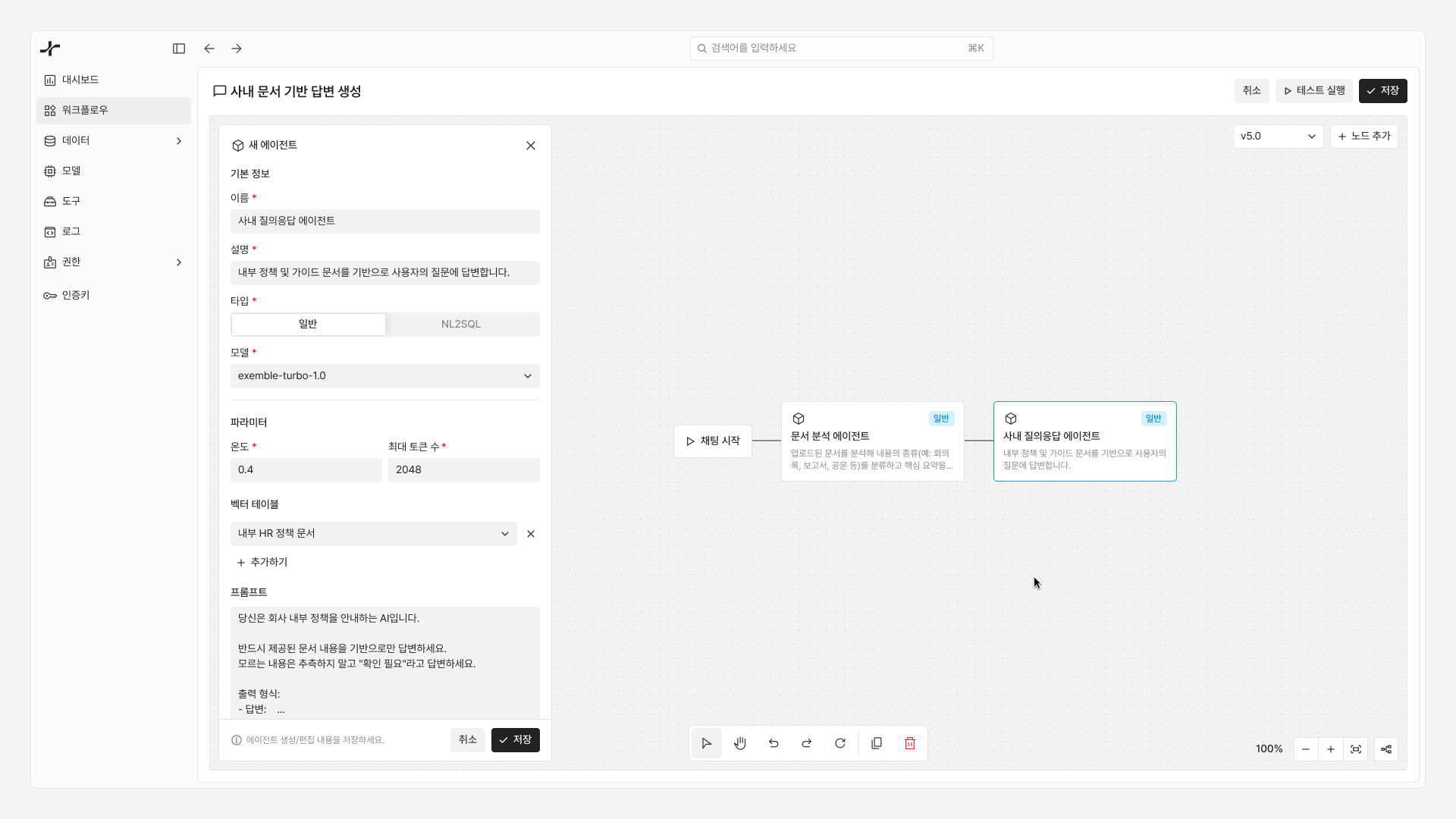
Build, test, and debug workflows visually
Users connect agents, API tools, and conditional branches to build business workflows. I designed the canvas to support execution as well as composition, with status feedback and tools for testing and debugging.
Keep the whole workflow in context
Editing a workflow means understanding how its parts fit together. I kept node editing in one workspace so users could make changes without losing context. Keyboard shortcuts, automatic layout, and draft saving support repeated testing and refinement.
Make the process behind an answer visible
Chat can run tasks as well as answer questions. I made each workflow step visible so users could follow how a result was produced, assess it, and trace problems when something went wrong.
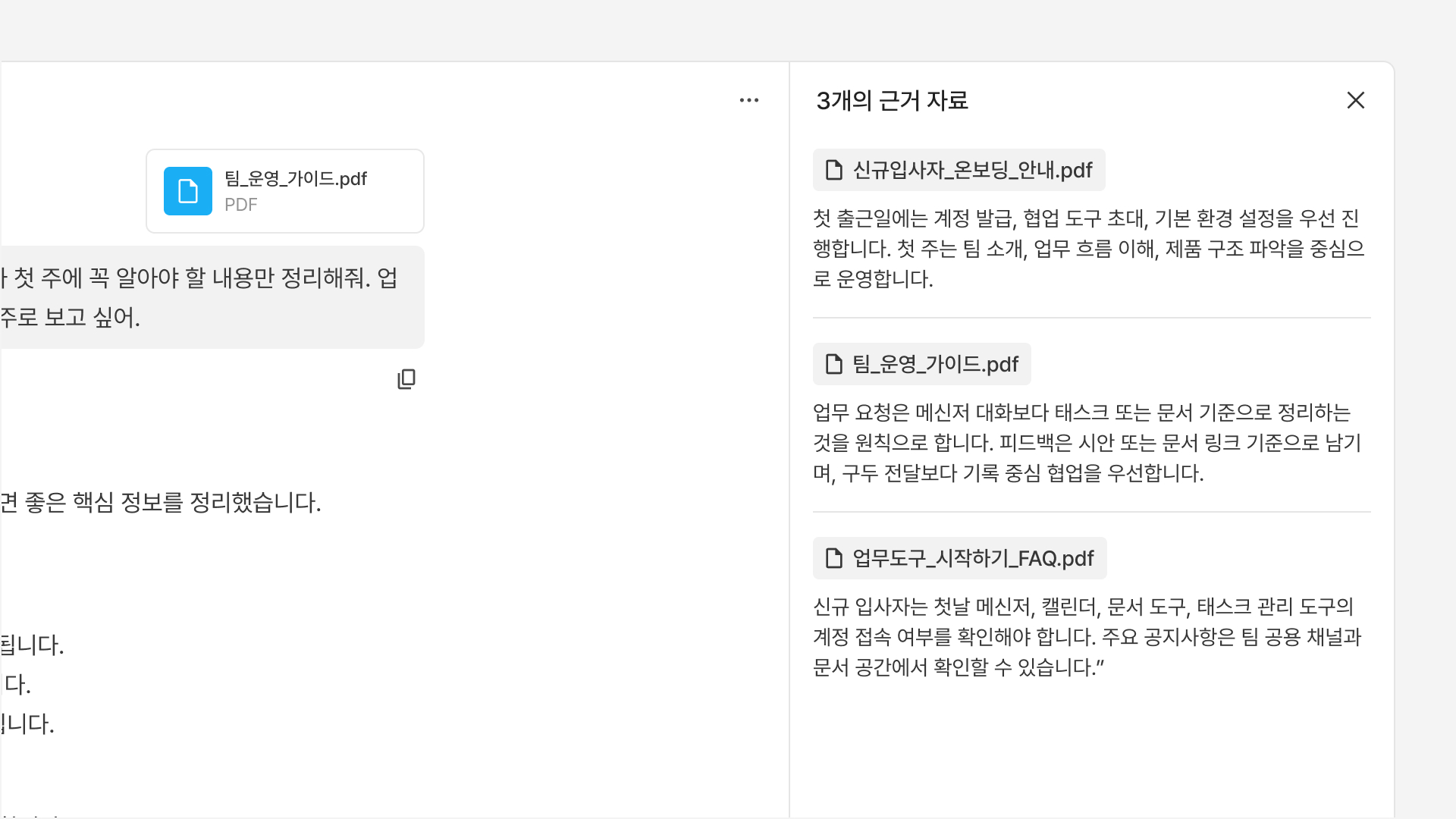
Let users check the sources
I placed supporting sources alongside each answer so users could review its basis and context. These sources include files attached to the conversation and internal company data already available to the system.
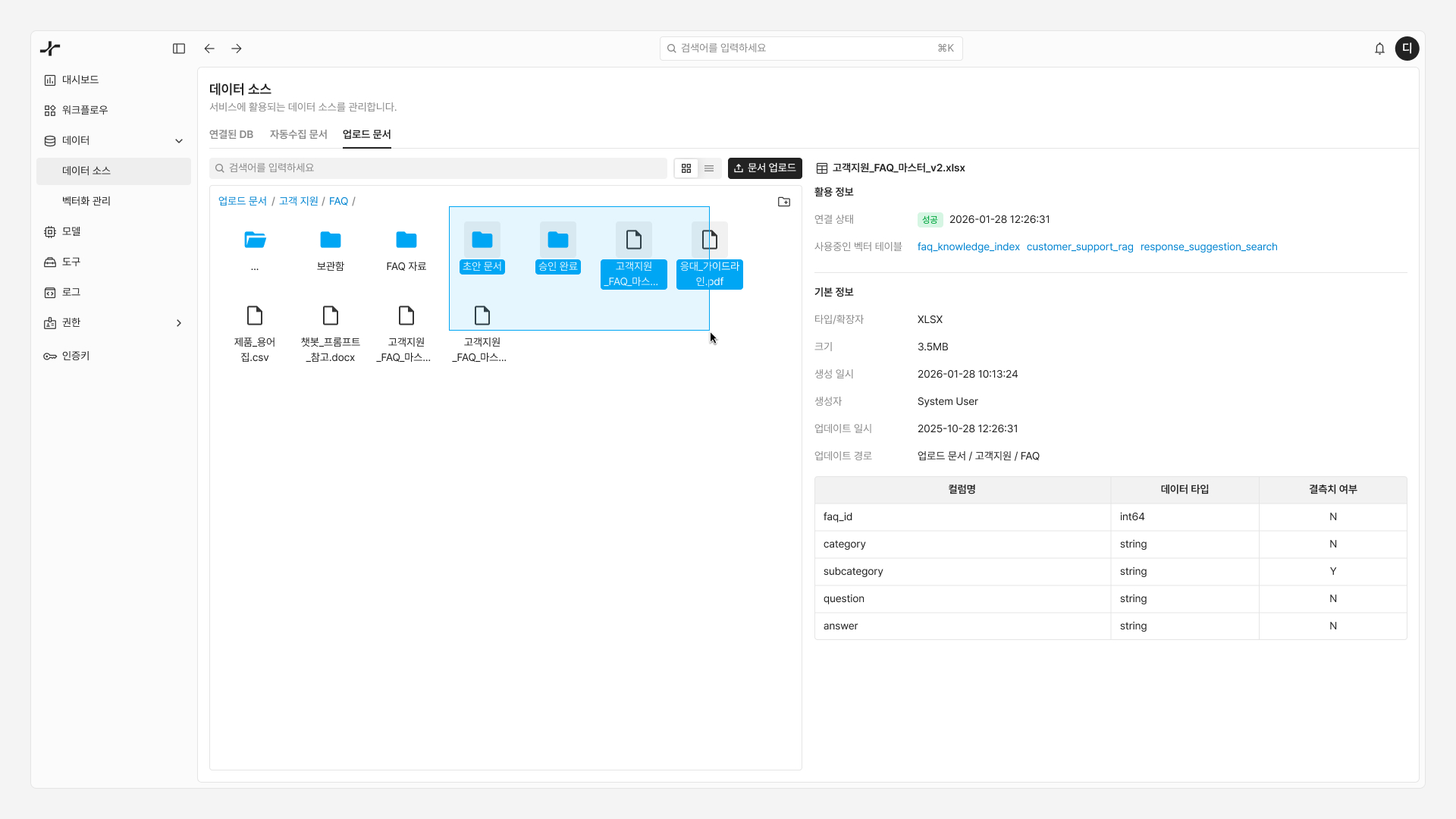
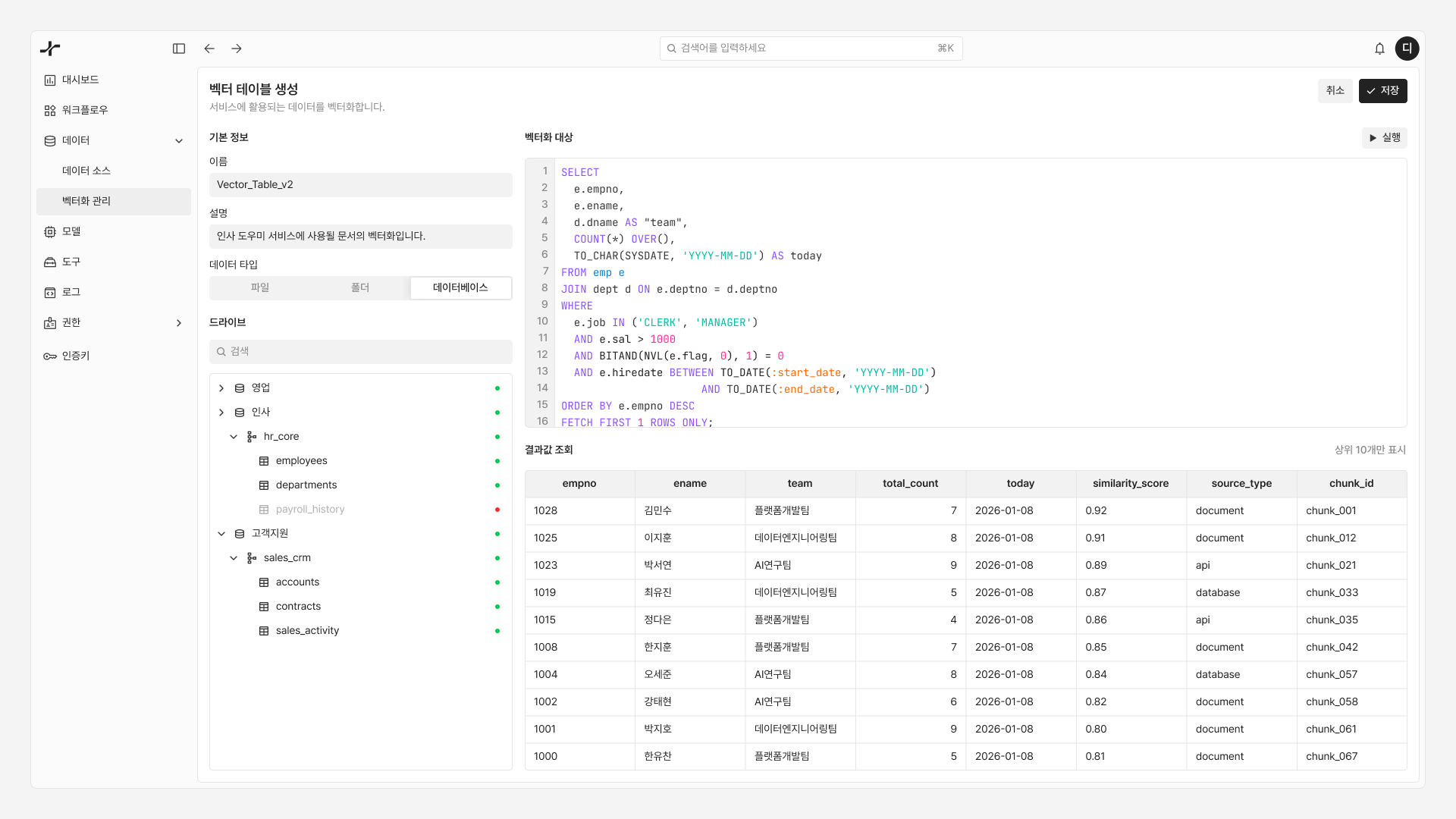
Connect and maintain internal knowledge
Teams can add data through database connections or document uploads. I tailored browsing to each source type and included an option to regenerate vector embeddings when the underlying data changes.
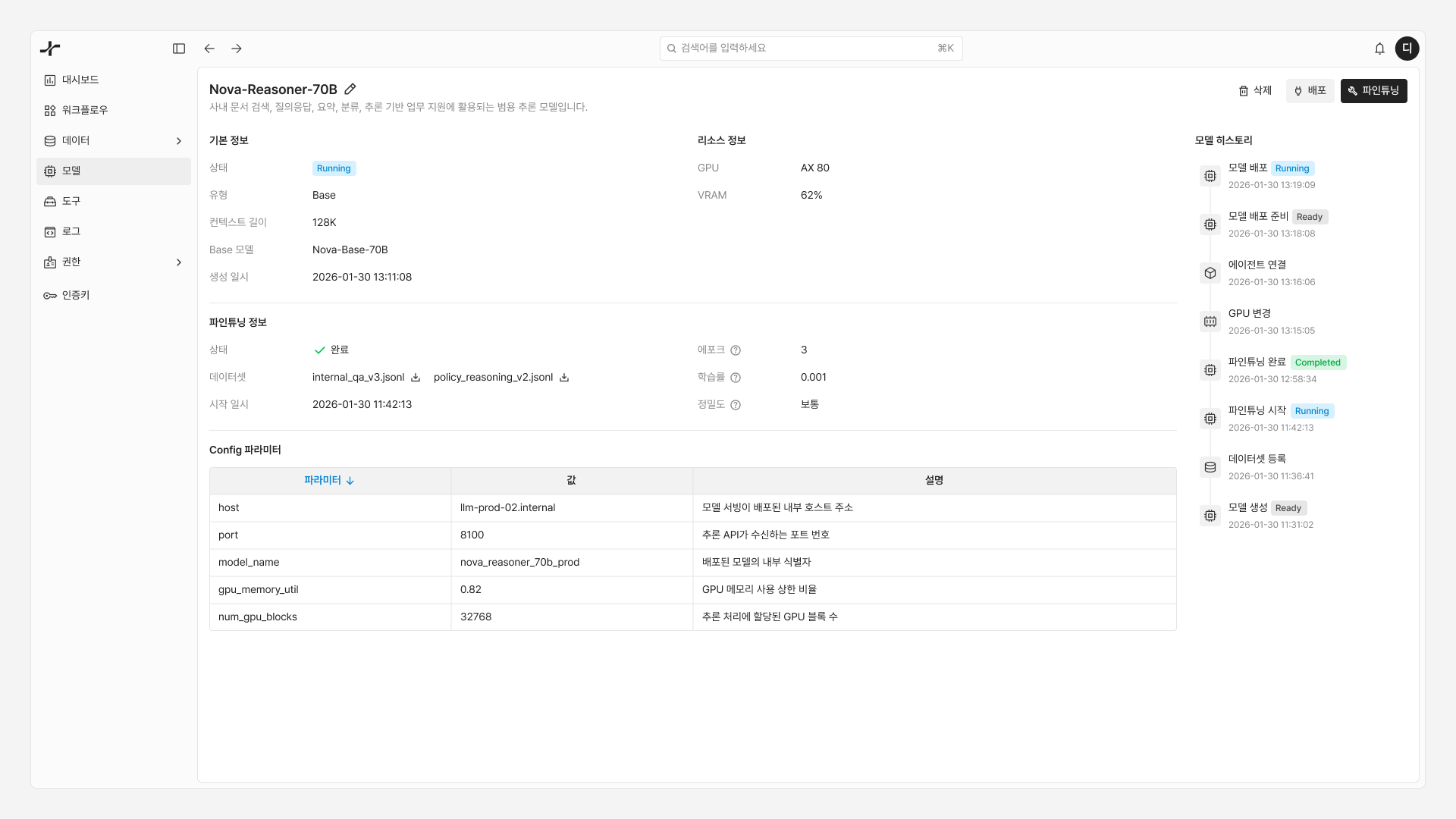
Manage models and monitor performance
I brought model status, resource usage, change history, and fine-tuning information into one management view, giving administrators the context to operate models and support ongoing improvements.
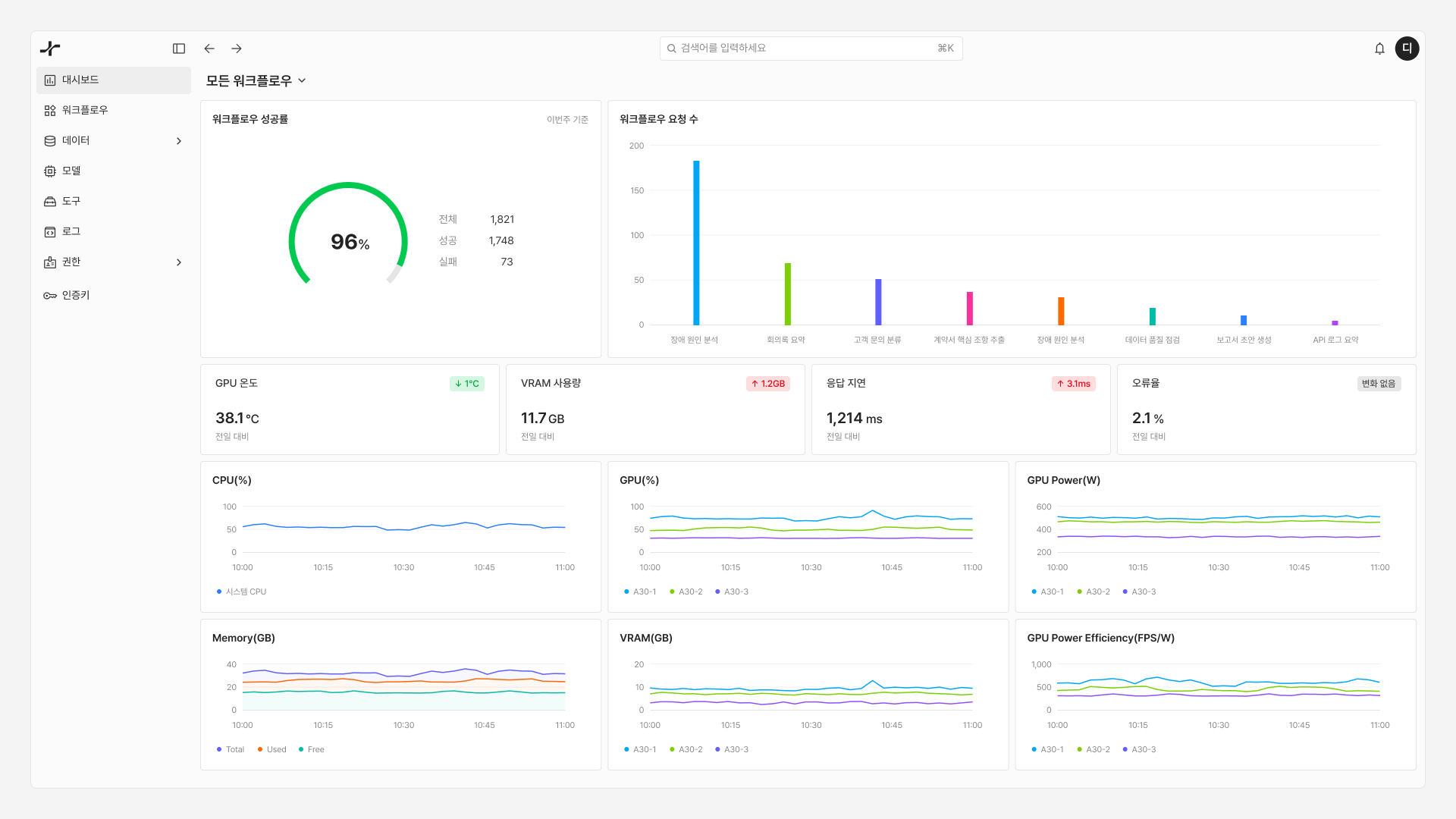
Move from an overview to the source of an issue
The dashboard lets administrators drill down from the full set of workflows to an individual workflow and its resources. Status colors help them spot issues and follow the details to a possible cause.
Use motion to make system behavior clear
I added motion to workflow connections, response loading states, and chat transitions. These interactions make processing and state changes easier to follow while giving the product a more responsive feel.
Leading design alongside engineers
Exemble meant turning abstract LLM concepts into a working product on a short timeline. As the sole designer working with engineers, I worked through technical constraints and implementation decisions with the team, using a design system to keep the experience consistent as it expanded.
My role spanned product planning and design, from shaping the product direction and design strategy to working through the details of the experience.