Offering choices with ActionSheet
Configure action buttons, manage presentation state, and compare ActionSheet with confirmationDialog.
Read the Korean original on Velog ↗English translation

When a user needs to choose an action, a sheet of options can feel more appropriate than a central alert. The available API depends on the iOS versions the app supports.
ActionSheet for iOS 13 and 14
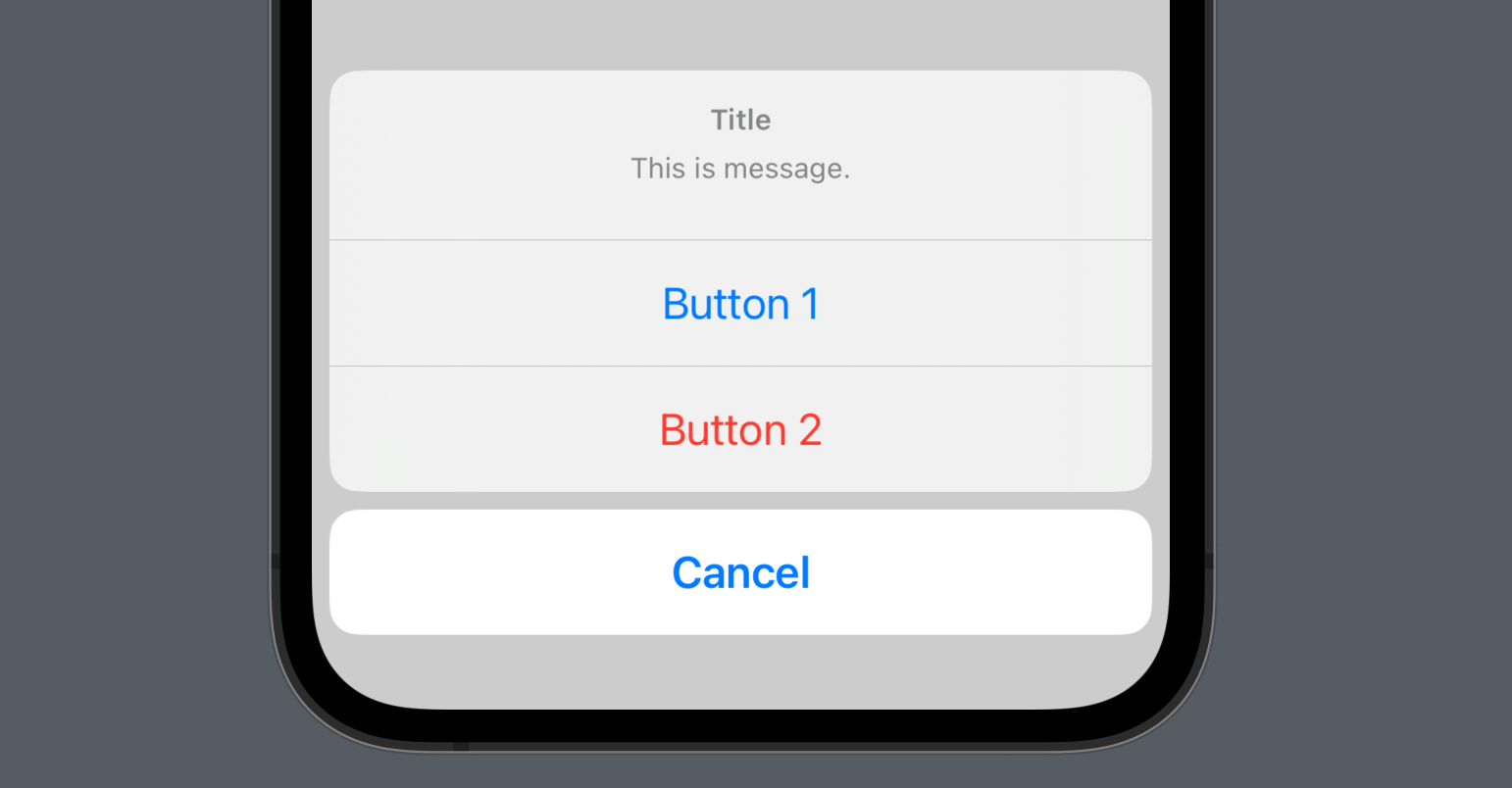
ActionSheet supports apps targeting iOS 13 and 14. It presents a set of choices, dismisses when an option is selected, and runs the associated action. For newer targets, use confirmationDialog.
struct ActionSheetStudy: View {

    @State var showActionSheet: Bool = false // State property

    var body: some View {
        Button("Click Here!") {
            showActionSheet.toggle() // Set showActionSheet to true
        }
        // ActionSheet view
        .actionSheet(isPresented: $showActionSheet) {
            ActionSheet(
                title: Text("Title"),
                message: Text("This is message."),
                buttons: [
                    .default(Text("Button 1")), // First button
                    .destructive(Text("Button 2")), // Second button
                    .cancel() // Cancel button
                ])
        }
    }
}
A default button performs an ordinary action. A cancel button dismisses without proceeding, while destructive marks an action such as deletion that deserves extra attention.
Customizing the options
Extract sheet construction into a function and use an enum to select the appropriate configuration.
struct ActionSheetStudy: View {

    @State var showActionSheet: Bool = false
    @State var actionSheetType: MyActionSheetType = .isOtherPost

    // Define the action sheet cases
    enum MyActionSheetType {
        case isMyPost
        case isOtherPost
    }

    var body: some View {
        VStack(spacing: 40) {
            Button("My Post") {
                actionSheetType = .isMyPost // MyPost case
                showActionSheet.toggle()
            }
            .actionSheet(isPresented: $showActionSheet, content: getActionSheet)
            Button("Other Post") {
                actionSheetType = .isOtherPost // OtherPost case
                showActionSheet.toggle()
            }
            .actionSheet(isPresented: $showActionSheet, content: getActionSheet)
        }
    }

    func getActionSheet() -> ActionSheet {

        let shareButton: ActionSheet.Button = .default(Text("Share"))
        let reportButton: ActionSheet.Button = .destructive(Text("Report"))
        let deleteButton: ActionSheet.Button = .destructive(Text("Delete"))

        // Build the sheet for the selected case
        switch actionSheetType {
        case .isMyPost:
            return ActionSheet(
                title: Text("My Post"),
                buttons: [
                    shareButton,
                    deleteButton,
                    .cancel()
                ])
        case .isOtherPost:
            return ActionSheet(
                title: Text("Other Post"),
                buttons: [
                    shareButton,
                    reportButton,
                    .cancel()
                ])
        }
    }
}
confirmationDialog for iOS 15 and later
confirmationDialog is the newer API for presenting these choices.
struct ActionSheetStudy: View {

    @State var showActionSheet: Bool = false // State property

    var body: some View {
        Button("Click Here!") {
            showActionSheet.toggle() // Set showActionSheet to true
        }
        // ActionSheet view
        .confirmationDialog("Title", isPresented: $showActionSheet, titleVisibility: .visible) {
            Button("Button 1") {} // First button
            Button("Button 2", role: .destructive) {} // Second button
            Button("Cancel", role: .cancel) {} // Cancel button
        } message: {
            Text("This is message.")
        }
    }
}