SwiftUI ActionSheet로 선택지 제공하기
여러 선택지를 아래에서 제시하는 ActionSheet의 버튼 구성과 표시 상태 관리 방법을 살펴봅니다.

여러 행동 중 하나를 고르게 할 때 화면 한가운데의 Alert보다 아래에서 올라오는 선택지가 자연스러운 경우가 있다. iOS 버전에 따라 ActionSheet와 confirmationDialog를 어떻게 나눠 써야 하는지 살펴봤다.
ActionSheet(iOS 13.0-14.0)
iOS 14를 끝으로 더이상 사용되지 않지만, iOS 13과 14를 지원하기 위해서는 ActionSheet로 구현해야한다. 일반적으로 두 개 이상의 선택지가 있고, 사용자가 선택을 하면 ActionSheet는 사라지고 해당 액션을 실행한다.
struct ActionSheetStudy: View {

    @State var showActionSheet: Bool = false // 상태 변수

    var body: some View {
        Button("Click Here!") {
            showActionSheet.toggle() // showActionSheet를 true로 설정
        }
        // ActionSheet 뷰
        .actionSheet(isPresented: $showActionSheet) {
            ActionSheet(
                title: Text("Title"),
                message: Text("This is message."),
                buttons: [
                    .default(Text("Button 1")), // 첫 번째 버튼
                    .destructive(Text("Button 2")), // 두 번째 버트
                    .cancel() // 취소 버튼
                ])
        }
    }
}
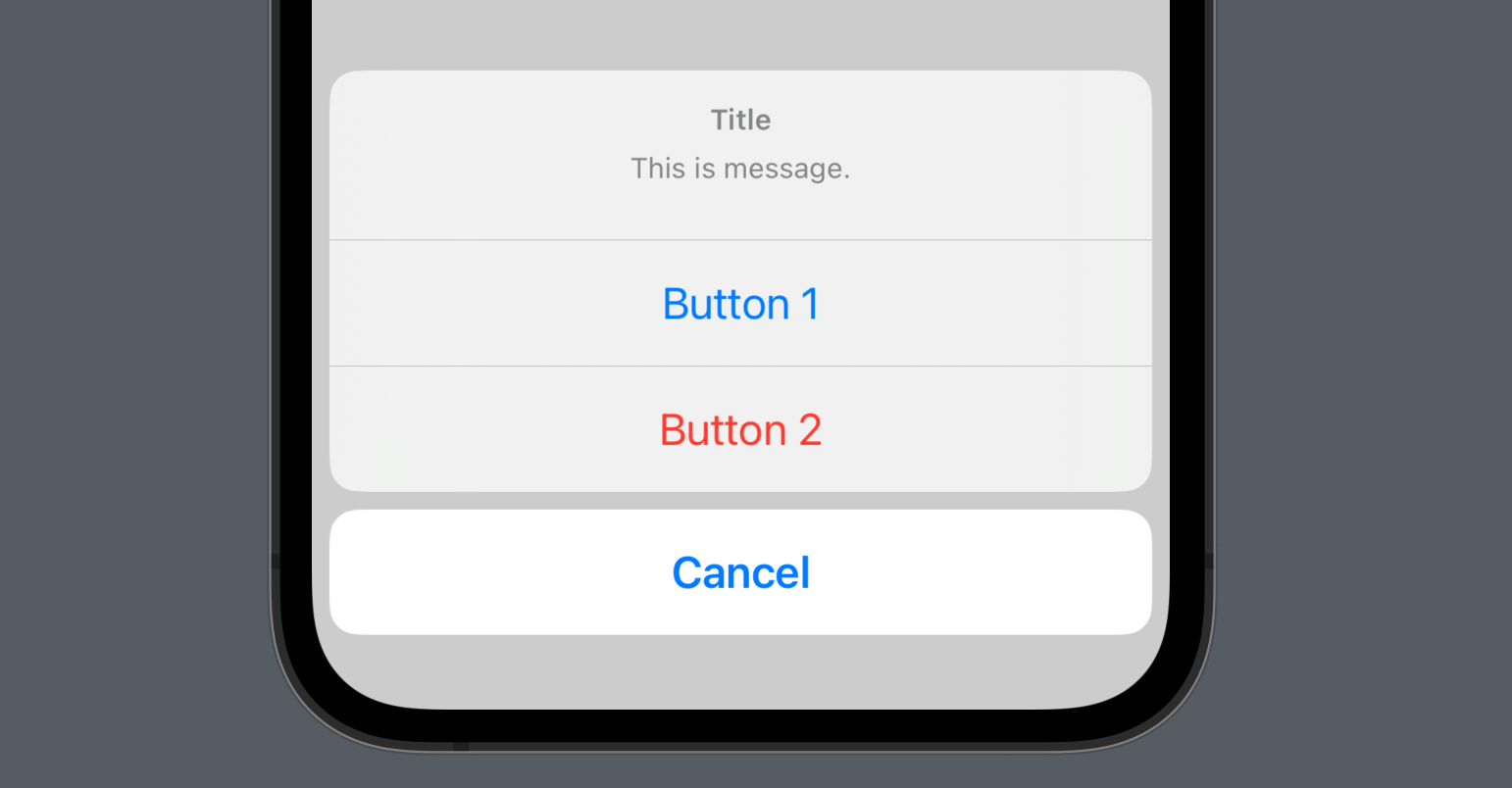
default는 기본적인 버튼 스타일로, 주로 확인과 같은 긍정적인 동작을 수행하는 버튼에 사용된다. cancel은 주로 취소와 같은 부정적인 동작을 수행하는 버튼에 사용된다. destructive는 삭제 주의를 불러일으키는 동작을 수행하는 버튼에 사용된다.
Customizing
ActionSheet를 함수로 추출하고 enum을 활용하여 각 케이스에 맞는 ActionSheet를 표시할 수 있다.
struct ActionSheetStudy: View {

    @State var showActionSheet: Bool = false
    @State var actionSheetType: MyActionSheetType = .isOtherPost

    // ActionSheet 케이스 정의
    enum MyActionSheetType {
        case isMyPost
        case isOtherPost
    }

    var body: some View {
        VStack(spacing: 40) {
            Button("My Post") {
                actionSheetType = .isMyPost // MyPost 케이스
                showActionSheet.toggle()
            }
            .actionSheet(isPresented: $showActionSheet, content: getActionSheet)
            Button("Other Post") {
                actionSheetType = .isOtherPost // OtherPost 케이스
                showActionSheet.toggle()
            }
            .actionSheet(isPresented: $showActionSheet, content: getActionSheet)
        }
    }

    func getActionSheet() -> ActionSheet {

        let shareButton: ActionSheet.Button = .default(Text("Share"))
        let reportButton: ActionSheet.Button = .destructive(Text("Report"))
        let deleteButton: ActionSheet.Button = .destructive(Text("Delete"))

        // 케이스에 따른 ActionSheet
        switch actionSheetType {
        case .isMyPost:
            return ActionSheet(
                title: Text("My Post"),
                buttons: [
                    shareButton,
                    deleteButton,
                    .cancel()
                ])
        case .isOtherPost:
            return ActionSheet(
                title: Text("Other Post"),
                buttons: [
                    shareButton,
                    reportButton,
                    .cancel()
                ])
        }
    }
}
ConfirmationDialog(iOS 15.0+)
iOS 15 이상부터 confirmationDialog로 actionSheet가 대체된다.
struct ActionSheetStudy: View {

    @State var showActionSheet: Bool = false // 상태 변수

    var body: some View {
        Button("Click Here!") {
            showActionSheet.toggle() // showActionSheet를 true로 설정
        }
        // ActionSheet 뷰
        .confirmationDialog("Title", isPresented: $showActionSheet, titleVisibility: .visible) {
            Button("Button 1") {} // 첫 번째 버튼
            Button("Button 2", role: .destructive) {} // 두 번째 버튼
            Button("Cancel", role: .cancel) {} // 취소 버튼
        } message: {
            Text("This is message.")
        }
    }
}