Configuring alerts in SwiftUI
Build alert titles, messages, and buttons, and control presentation through state.
Read the Korean original on Velog ↗English translation

An alert may contain only a short message, but its presentation state and button actions can become tangled. Separating simple acknowledgment from a choice between actions keeps the code clearer.
Acknowledgment alerts
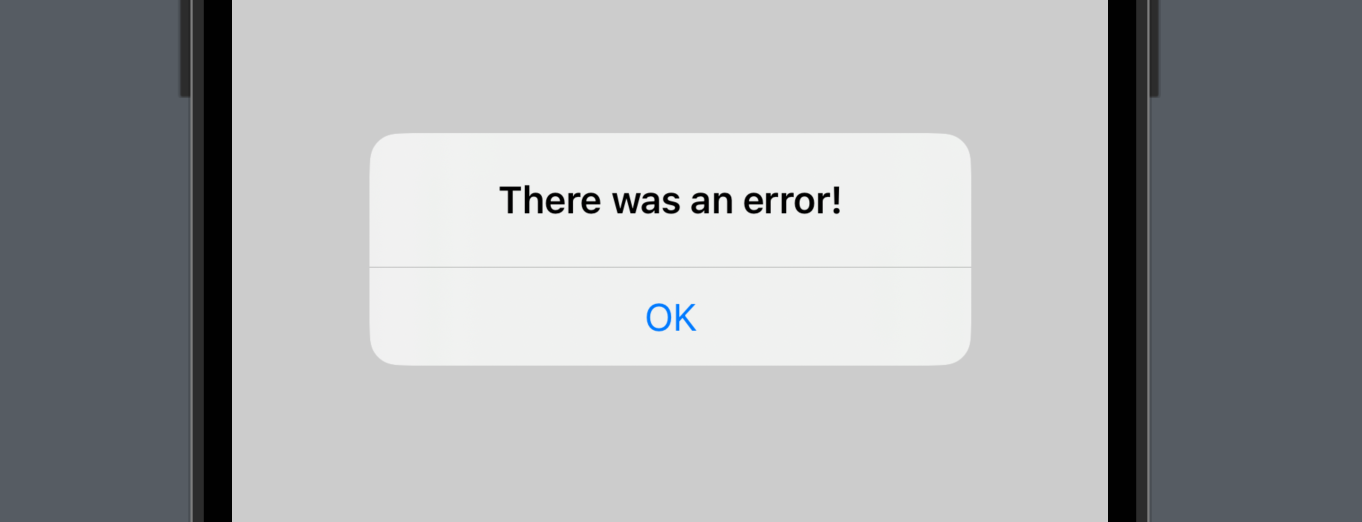
Show a message with a button the user can tap to acknowledge it.
struct AlertStudy: View {

    @State var showAlert: Bool = false // State property

    var body: some View {
        Button("Click Here!") {
            showAlert.toggle() // Set showAlert to true
        }
        // Alert view
        .alert(isPresented: $showAlert) {
            Alert(title: Text("There was an error!"))
        }
    }
}
Alerts with a choice
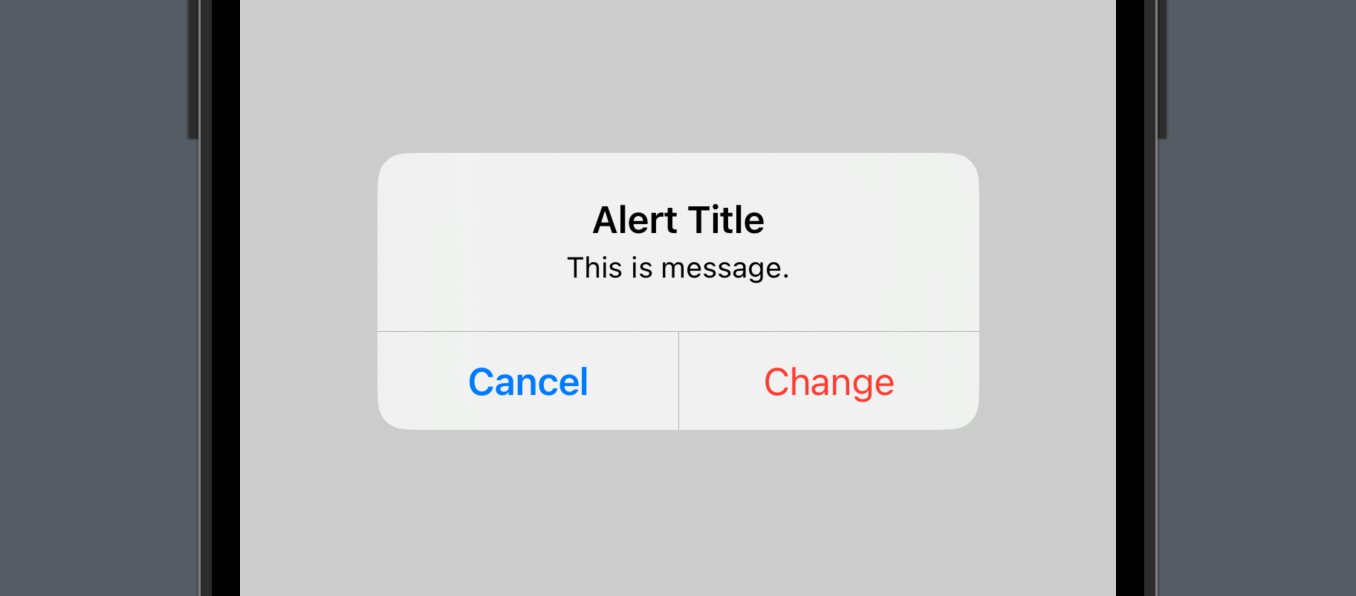
- Present a message and let the user choose what happens next.
- In the API shown here,
primaryButtonandsecondaryButtondefine the two actions. defaultis an ordinary button style.canceldismisses or abandons the proposed action.destructivehighlights an action such as deletion.
struct AlertStudy: View {

    @State var showAlert: Bool = false
    @State var backgroundColor: Color = .white

    var body: some View {
        ZStack {
            backgroundColor.edgesIgnoringSafeArea(.all)
            Button("Click Here!") {
                showAlert.toggle()
            }
            // Alert view
            .alert(isPresented: $showAlert) {
                Alert(
                    title: Text("Alert Title"),
                    message: Text("This is message."),
                    // Action button
                    primaryButton: .destructive(Text("Change"), action: {
                        backgroundColor = .yellow
                    }),
                    // Cancel button
                    secondaryButton: .cancel()
                )
            }
        }
    }
}
Customizing alerts
Extract the alert into a function and supply the title and message appropriate to each action.
struct AlertStudy: View {

    @State var showAlert: Bool = false
    @State var alertTitle: String = "" // Title property
    @State var alertMessage: String = "" // Message property

    var body: some View {
        VStack(spacing: 40) {
        	// Error button
            Button("Error Button") {
	            // Error Title
                alertTitle = "Error Alert"
                // Error Message
                alertMessage = "This is Error Alert Message."
                showAlert.toggle()
            }
            .alert(isPresented: $showAlert) {
                getAlert()
            }
            // Success button
            Button("Success Button") {
            	// Success Title
                alertTitle = "Success Alert"
                // Success Message
                alertMessage = "This is Success Alert Message."
                showAlert.toggle()
            }
            .alert(isPresented: $showAlert) {
                getAlert()
            }
        }
    }

    // Alert builder
    func getAlert() -> Alert {
        return Alert(
            title: Text(alertTitle),
            message: Text(alertMessage),
            dismissButton: .default(Text("Ok"))
        )
    }
}
An enum can represent the different alert configurations.
struct AlertStudy: View {

    @State var showAlert: Bool = false
    @State var alertType: MyAlert? = nil

    // Define the alert cases
    enum MyAlert {
        case error
        case success
    }

    var body: some View {
        VStack(spacing: 40) {
            Button("Error Button") {
                alertType = .error // Error case
                showAlert.toggle()
            }
            .alert(isPresented: $showAlert) {
                getAlert()
            }
            Button("Success Button") {
                alertType = .success // Success case
                showAlert.toggle()
            }
            .alert(isPresented: $showAlert) {
                getAlert()
            }
        }
    }

    func getAlert() -> Alert {
    	// Build the alert for the selected case
        switch alertType {
        case .error:
            return Alert(
                title: Text("Error Alert"),
                message: Text("This is Error Alert Message."),
                dismissButton: .default(Text("Ok"))
            )
        case .success:
            return Alert(
                title: Text("Success Alert"),
                message: Text("This is Success Alert Message."),
                dismissButton: .default(Text("Ok"))
            )
        default:
            return Alert(title: Text("Error"))
        }
    }
}