Conditional views in SwiftUI
Use conditions and logical operators to display different content for different states.
Read the Korean original on Velog ↗English translation

A screen changes with the current selection or available data. Inside a SwiftUI view builder, conditions choose which views belong in the interface rather than simply deciding which ordinary statements to run.
if-else
An if or else if branch runs when its Boolean condition is true; otherwise, control moves to the next branch or else.
if condition {
    // Runs when the first condition is true
} else if anotherCondition {
    // Runs when the second condition is true
} else {
    // Runs when neither condition is true
}
Use the current state to decide which content to display.
struct IfElseStudy: View {

    @State var showCircle: Bool = false
    @State var showRectangle: Bool = false

    var body: some View {
        VStack(spacing: 20) {
            Button("Circle Button \(showCircle.description)") {
                showCircle.toggle()
            }
            Button("Rectangle Button \(showRectangle.description)") {
                showRectangle.toggle()
            }

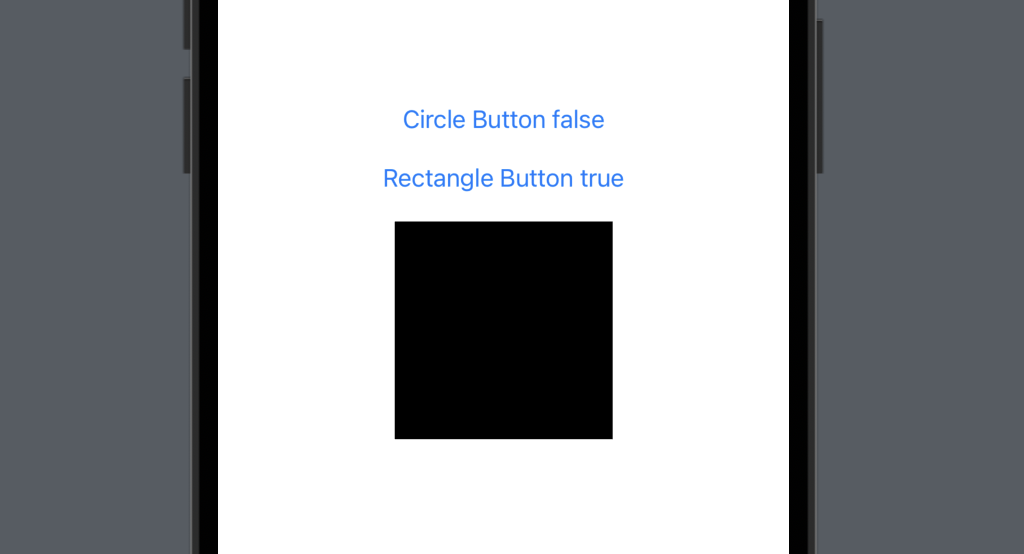
            // Show a circle when showCircle is true
            if showCircle {
                Circle()
                    .frame(width: 150, height: 150)
			// Show a rectangle when only showRectangle is true
            } else if showRectangle {
                Rectangle()
                    .frame(width: 150, height: 150)
			// Show a rounded rectangle when both values are false
            } else {
                RoundedRectangle(cornerRadius: 10)
                    .frame(width: 150, height: 150)
            }
        }
    }
}
The ternary operator
A ternary expression is a compact way to choose between two values.
condition ? valueWhenTrue : valueWhenFalse
Nested ternary expressions can be difficult to read, so use them sparingly.
struct IfElseStudy: View {

    @State var isRed: Bool = false

    var body: some View {
        VStack(spacing: 20) {
            Button("Blue Circle Button \(isRed.description)") {
                isRed.toggle()
            }
            Circle()
                .frame(width: 150, height: 150)
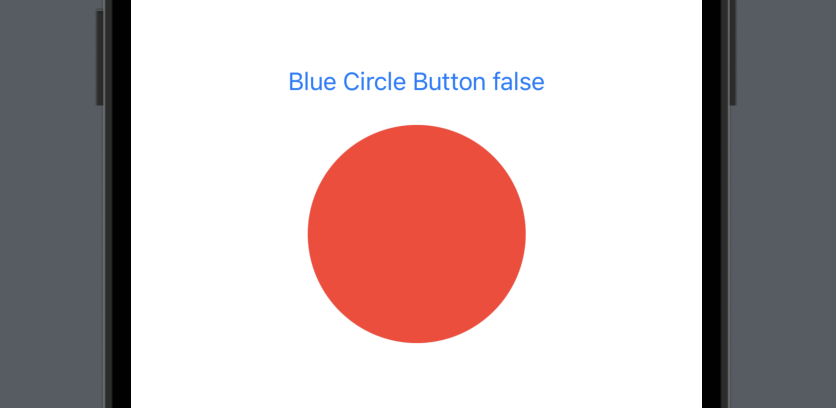
                .foregroundColor(isRed ? .blue : .red) // Choose a value with a ternary expression
        }
    }
}
Logical operators
Combine or invert conditions with logical operators.
| Operator | Meaning |
|---|---|
&& | AND: true only when both operands are true. |
|| | OR: true when at least one operand is true. |
! | NOT: reverses a Boolean value. |
struct IfElseStudy: View {

    @State var showCircle: Bool = false
    @State var showRectangle: Bool = false

    var body: some View {
        VStack(spacing: 20) {
            Button("Circle Button \(showCircle.description)") {
                showCircle.toggle()
            }
            Button("Rectangle Button \(showRectangle.description)") {
                showRectangle.toggle()
            }

            HStack (spacing: 10) {
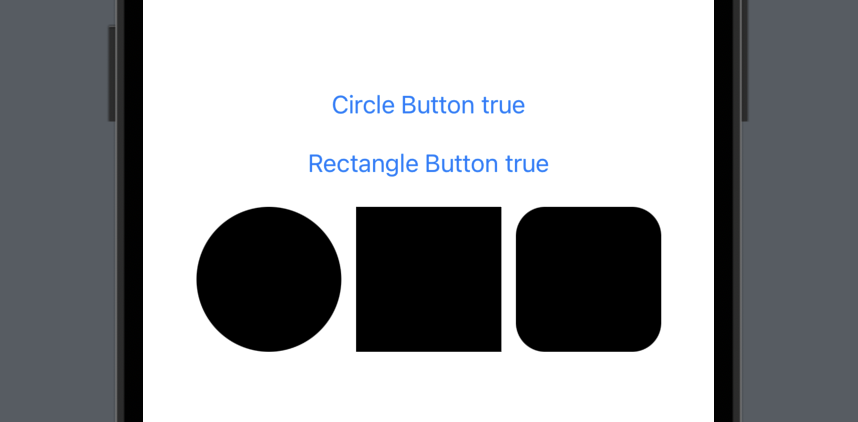
            	// Show a circle when showCircle is true
                if showCircle {
                    Circle()
                        .frame(width: 100, height: 100)
                }
                // Show a rectangle when showRectangle is true
                if showRectangle {
                    Rectangle()
                        .frame(width: 100, height: 100)
                }
                // Show a rounded rectangle when both values are true
                if showCircle && showRectangle {
                    RoundedRectangle(cornerRadius: 20)
                        .frame(width: 100, height: 100)
                }
            }
        }
    }
}