조건에 따라 달라지는 SwiftUI 뷰 만들기
ViewBuilder 안에서 if-else와 switch를 사용해 상태에 따라 다른 뷰를 반환하는 방법을 정리합니다.

선택 상태나 데이터 유무에 따라 화면의 모양은 달라진다. SwiftUI에서는 조건문이 단순히 코드를 실행하는 것을 넘어 서로 다른 View를 반환한다는 점을 먼저 이해해야 한다.
if-else
if 혹은 else if 뒤의 조건이 true일 경우 해당 코드를 실행하고 그렇지 않다면(false)일 경우 else의 코드가 실행된다. 조건식에는 Bool타입의 값만 들어와야 한다.
if 조건식 {
    // 조건식이 true일 때 실행될 코드
} else if {
    // 조건식이 true일 때 실행될 코드
} else {
    // 조건식이 false일 때 실행될 코드
}
현재 조건에 따라 어떤 코드를 실행할 지 결정할 수 있다.
struct IfElseStudy: View {

    @State var showCircle: Bool = false
    @State var showRectangle: Bool = false

    var body: some View {
        VStack(spacing: 20) {
            Button("Circle Button \(showCircle.description)") {
                showCircle.toggle()
            }
            Button("Rectangle Button \(showRectangle.description)") {
                showRectangle.toggle()
            }

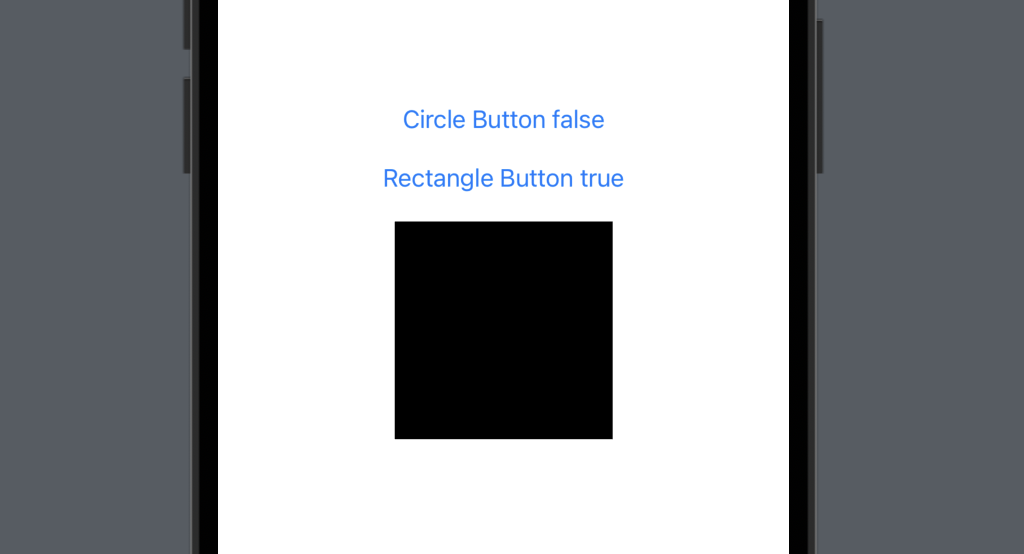
            // showCircle이 true일 경우 원 생성
            if showCircle {
                Circle()
                    .frame(width: 150, height: 150)
			// showCircle이 false이고 showRectangle이 true일 경우 사각형 생성
            } else if showRectangle {
                Rectangle()
                    .frame(width: 150, height: 150)
			// showCircle이 false이고 showRectangle도 false일 경우 둥근 사각형 생성
            } else {
                RoundedRectangle(cornerRadius: 10)
                    .frame(width: 150, height: 150)
            }
        }
    }
}
삼항연산자
if-else 구문을 삼항연산자를 통해 간단하게 표현할 수 있다.
조건식 ? true일 때 실행될 코드 : false일 때 실행될 코드
중첩된 삼항연산자는 코드를 읽기 어렵게 만들 수 있으므로 사용할 때 주의해야 한다.
struct IfElseStudy: View {

    @State var isRed: Bool = false

    var body: some View {
        VStack(spacing: 20) {
            Button("Blue Circle Button \(isRed.description)") {
                isRed.toggle()
            }
            Circle()
                .frame(width: 150, height: 150)
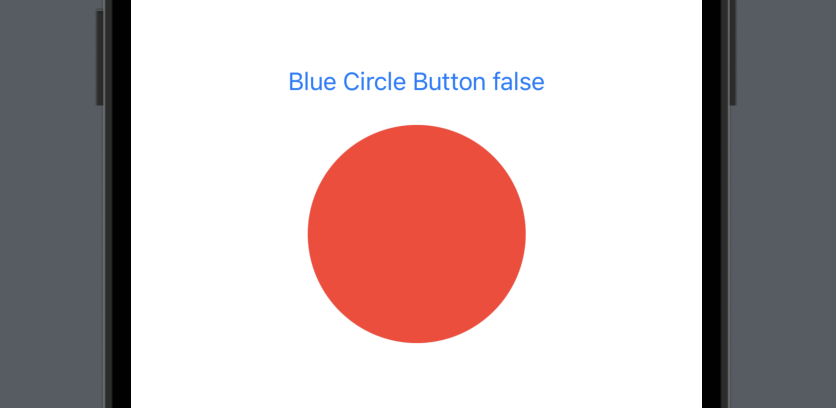
                .foregroundColor(isRed ? .blue : .red) // 삼항연산자를 통한 조건문
        }
    }
}
논리연산자
논리연산자를 활용하여 특정 조건에 따른 코드를 실행할 수 있다.
| 연산자 | 설명 |
|---|---|
| && | 논리곱(AND) 연산자로, 두 개의 피연산자가 모두 true일 때 true를 반환한다. 그 외의 경우에는 false를 반환한다. |
| || | 논리합(OR) 연산자로, 두 개의 피연산자 중 하나 이상이 true일 때 true를 반환한다. 두 개의 피연산자가 모두 false일 때에만 false를 반환한다. |
| ! | 부정(NOT) 연산자로, 피연산자의 Bool 값의 반대 값을 반환한다. 즉, true이면 false를, false이면 true를 반환한다. |
struct IfElseStudy: View {

    @State var showCircle: Bool = false
    @State var showRectangle: Bool = false

    var body: some View {
        VStack(spacing: 20) {
            Button("Circle Button \(showCircle.description)") {
                showCircle.toggle()
            }
            Button("Rectangle Button \(showRectangle.description)") {
                showRectangle.toggle()
            }

            HStack (spacing: 10) {
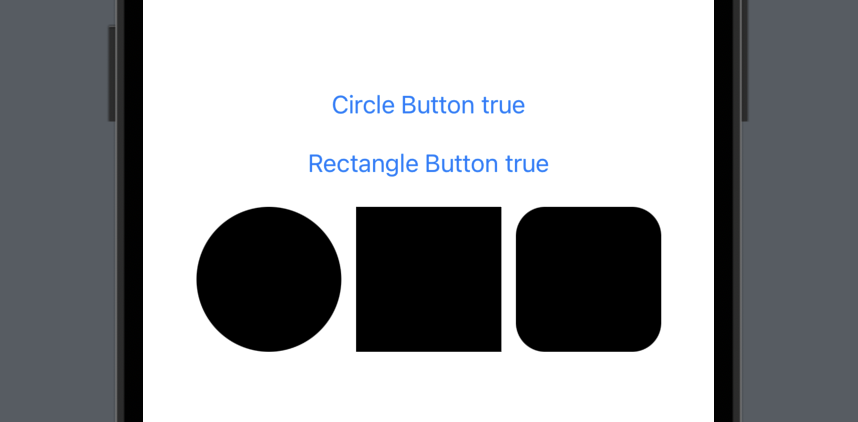
            	// showCircle이 true일 경우 원 생성
                if showCircle {
                    Circle()
                        .frame(width: 100, height: 100)
                }
                // showRectangle이 true일 경우 사각형 생성
                if showRectangle {
                    Rectangle()
                        .frame(width: 100, height: 100)
                }
                // showCircle, showRectangle이 모두 true일 경우 둥근 사각형 생성
                if showCircle && showRectangle {
                    RoundedRectangle(cornerRadius: 20)
                        .frame(width: 100, height: 100)
                }
            }
        }
    }
}