Reading layout with GeometryReader
Use available size and coordinate spaces to build layouts that respond to their actual container.
Read the Korean original on Velog ↗English translation

A layout based only on the device's screen size may not adapt to split-screen use or a changing parent view. GeometryReader provides information about the space available to the view itself.
UIScreen
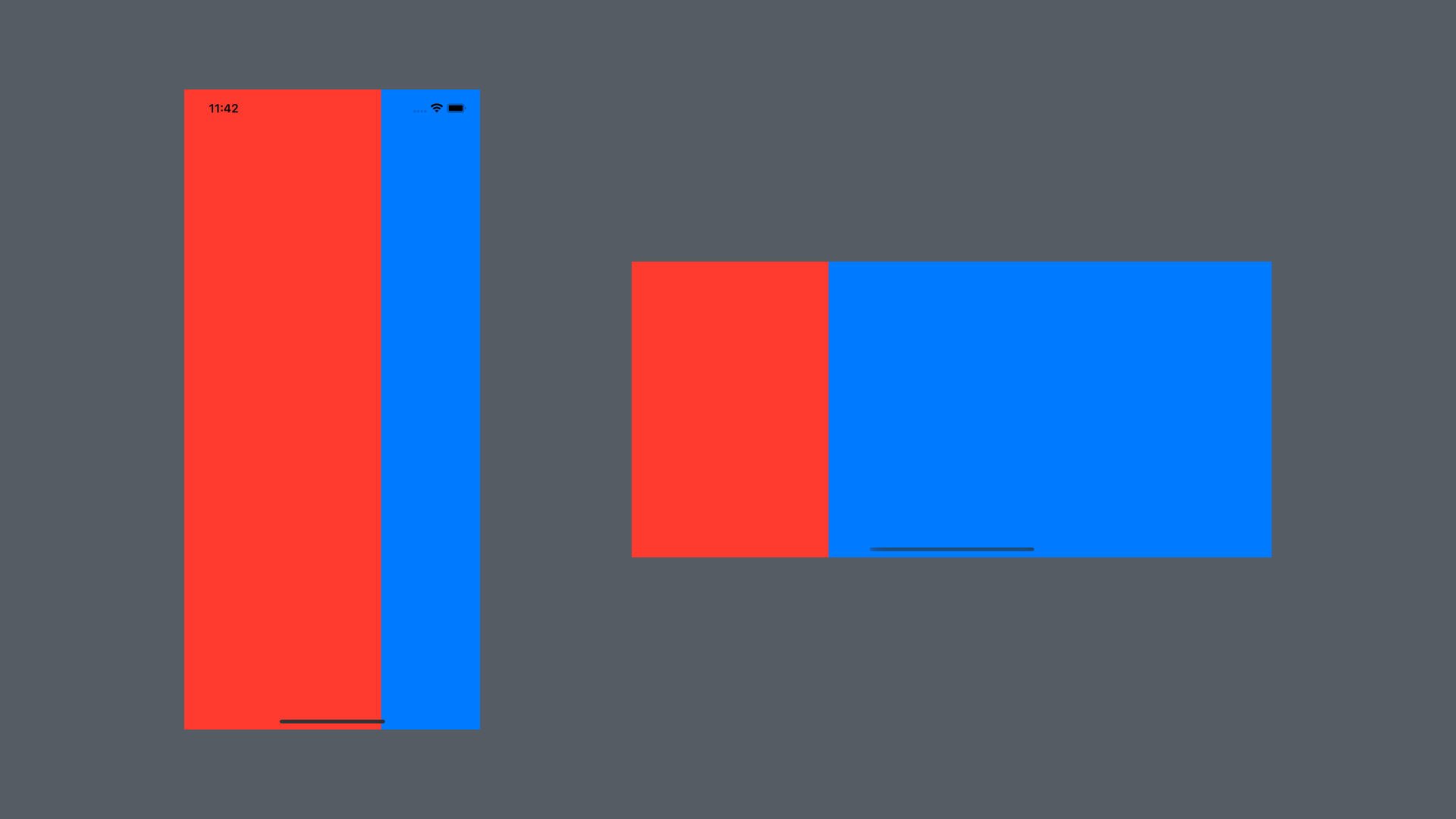
Screen dimensions can be used to calculate widths and positions, but they do not necessarily describe the current container. This makes screen-based calculations fragile when the window or layout changes.
HStack(spacing: 0) {
    Rectangle()
        .fill(.red)
        // Two-thirds of the screen width
        .frame(width: UIScreen.main.bounds.width * 0.666)
    Rectangle()
        .fill(.blue)
}
.ignoresSafeArea()
GeometryReader
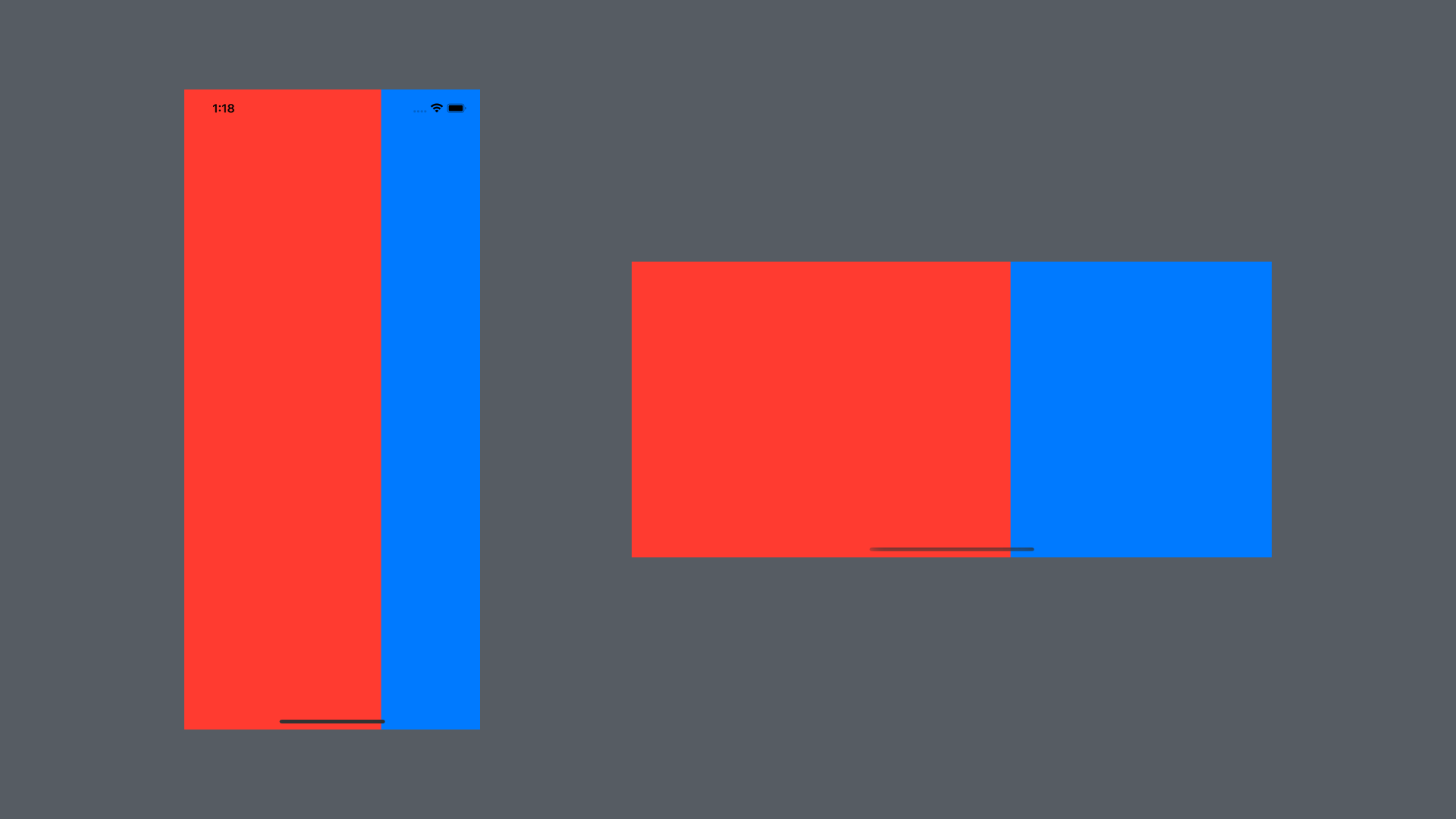
The GeometryProxy supplied to the closure exposes size and coordinate information. Use it to calculate a child's layout within the available space. Because geometry-driven changes can trigger additional layout work, use it where that information is actually needed.
GeometryReader { geometry in
    HStack(spacing: 0) {
        Rectangle()
            .fill(.red)
            // Two-thirds of the parent's width
            .frame(width: geometry.size.width * 0.666)
        Rectangle()
            .fill(.blue)
    }
    .ignoresSafeArea()
}
Reading a frame
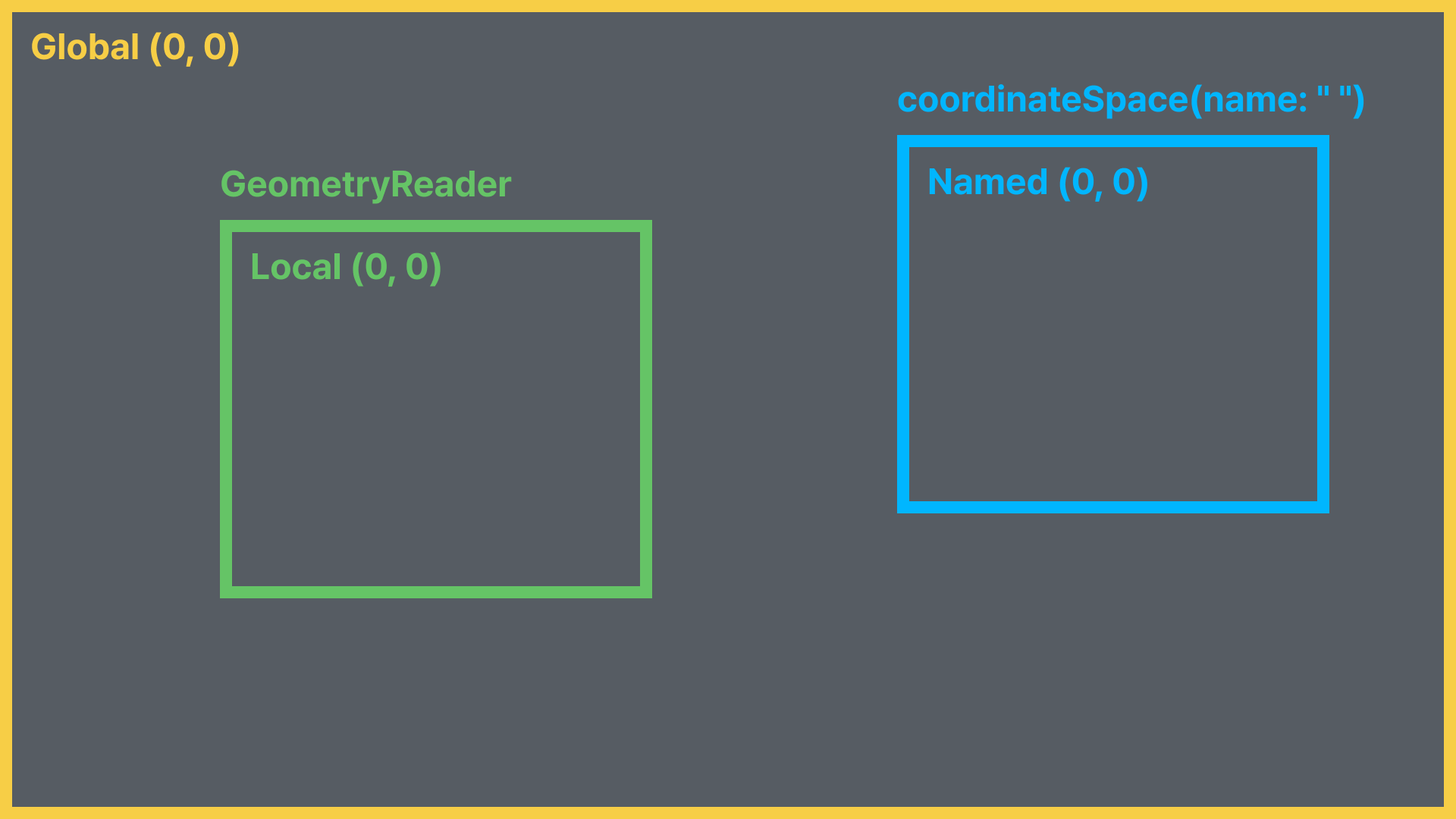
frame(in:) returns the view's frame in a specified coordinate space.
enum CoordinateSpace {
  case global // Relative to the global coordinate space
  case local // Relative to the GeometryReader
  case named(AnyHashable) // Relative to the named coordinate space
}
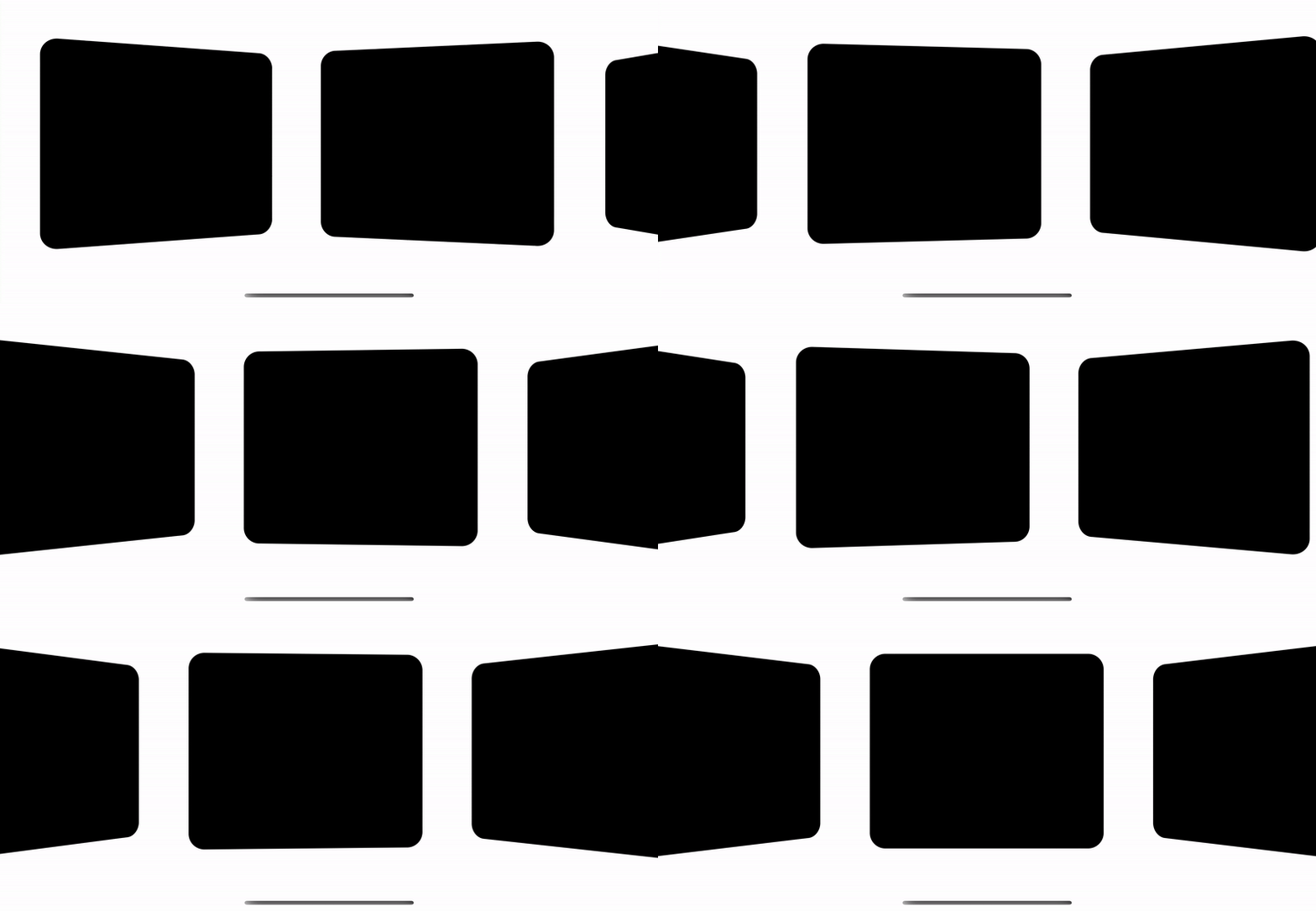
Geometry information can also drive visual effects as a view changes position.
struct GeometryReaderStudy: View {
    var body: some View {
        ScrollView(.horizontal, showsIndicators: false) {
            HStack {
                ForEach(0..<20) { index in
                    GeometryReader { geometry in
                        RoundedRectangle(cornerRadius: 20)
                            .rotation3DEffect(
                            	// Rotate the card based on its position
                                Angle(degrees: getPercentage(geo: geometry)) * 20,
                                axis: (x: 0.0, y: 1.0, z: 0.0))
                    }
                    .frame(width: 300, height: 250)
                    .padding()
                }
            }
        }
    }
    func getPercentage(geo: GeometryProxy) -> Double {
    	// The screen midpoint
        let maxDistance = UIScreen.main.bounds.width / 2
        // The card's current midpoint in global coordinates
        let currentX = geo.frame(in: .global).midX
        // Calculate the relative position
        return Double(1 - (currentX / maxDistance))
    }
}