GeometryReader로 크기와 좌표 읽기
부모가 제안한 크기와 좌표 공간을 읽어 반응형 레이아웃을 만드는 GeometryReader의 동작을 살펴봅니다.

기기 화면의 크기만 기준으로 레이아웃을 잡으면 분할 화면이나 부모 뷰의 변화에 제대로 반응하지 못한다. GeometryReader는 지금 이 뷰에 실제로 제안된 공간을 기준으로 계산하게 해준다.
UIScreen
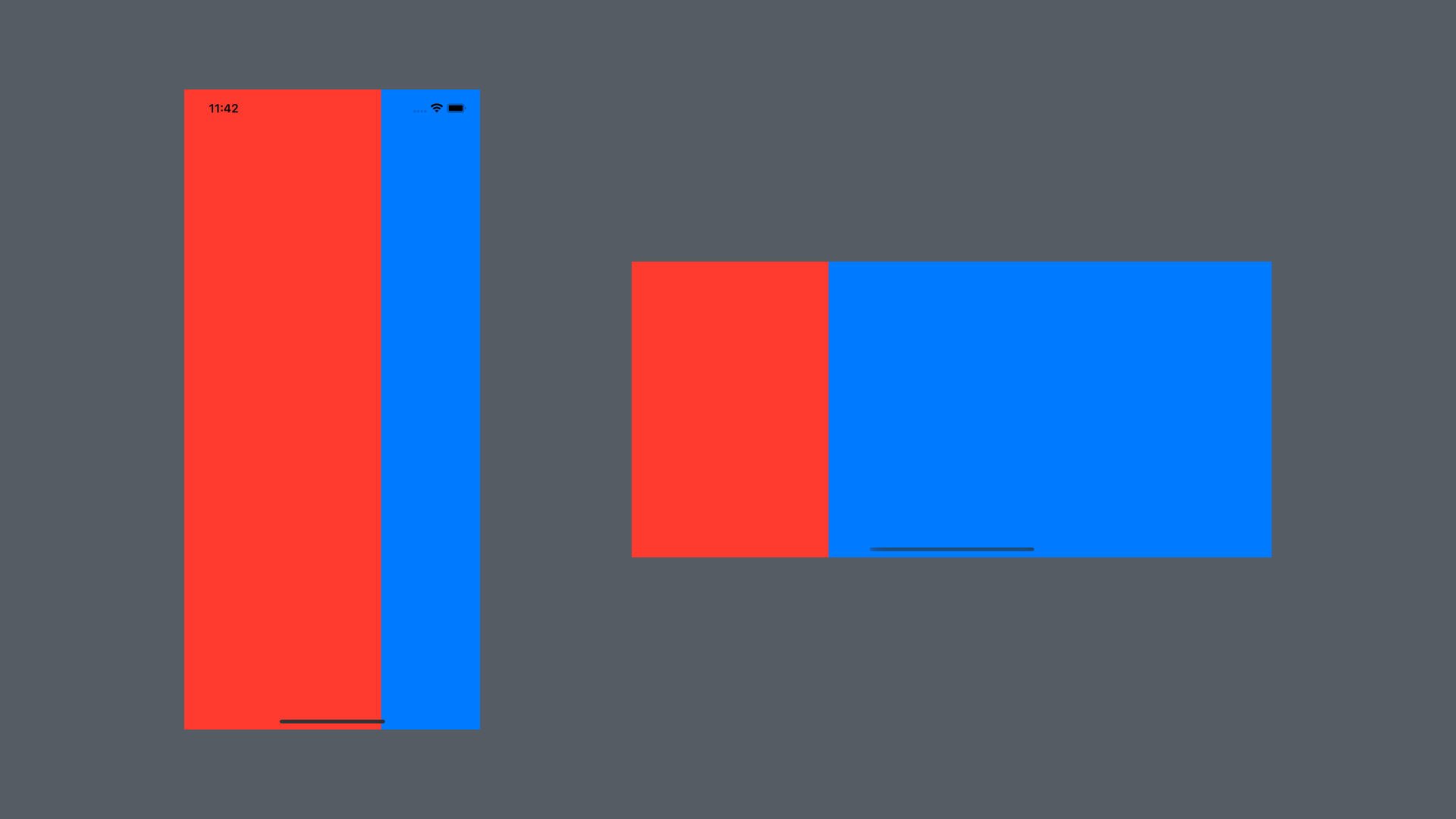
UIScreen을 활용하여 화면의 너비에 따라 레이아웃이나 위치를 지정할 수 있다. 모든 상황에서 화면의 너비를 기준으로 하기 때문에 Landscape모드 등 유동적으로 적용되지 않는다.
HStack(spacing: 0) {
    Rectangle()
        .fill(.red)
        // 화면 너비의 3/2 크기
        .frame(width: UIScreen.main.bounds.width * 0.666)
    Rectangle()
        .fill(.blue)
}
.ignoresSafeArea()
GeometryReader
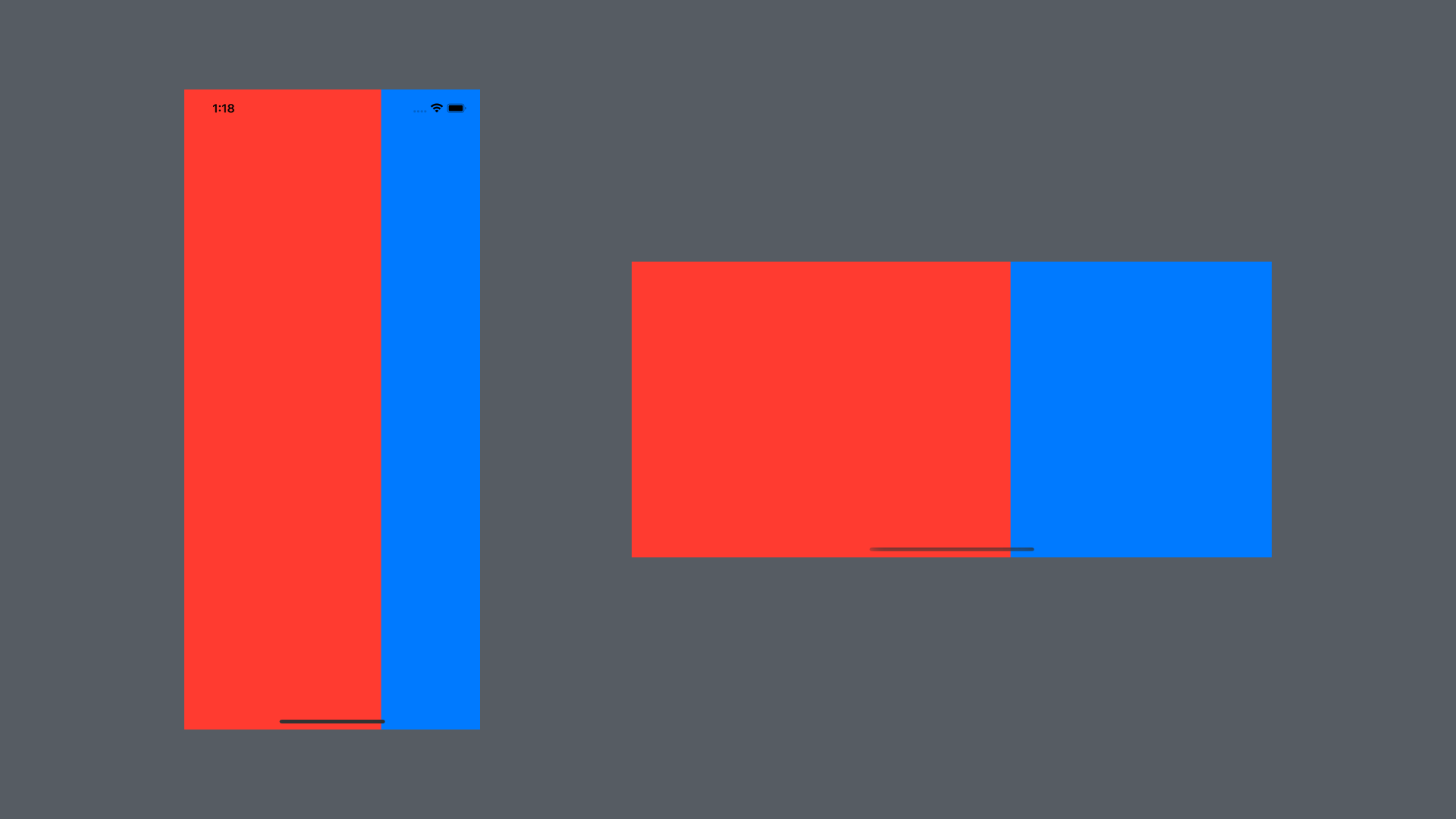
상위 뷰의 주어진 공간 내에서 하위 뷰의 위치와 크기를 유동적으로 결정할 수 있다. 클로저 내에서 GeometryProxy를 통해 상위 뷰 정보에 접근할 수 있다. GeometryReader는 리소스를 많이 차지하기 때문에 남용하지 말고 꼭 필요한 상황에서만 사용해야한다.
GeometryReader { geometry in
    HStack(spacing: 0) {
        Rectangle()
            .fill(.red)
            // 상위 뷰 너비의 3/2 크기
            .frame(width: geometry.size.width * 0.666)
        Rectangle()
            .fill(.blue)
    }
    .ignoresSafeArea()
}
GeometryReader Frame
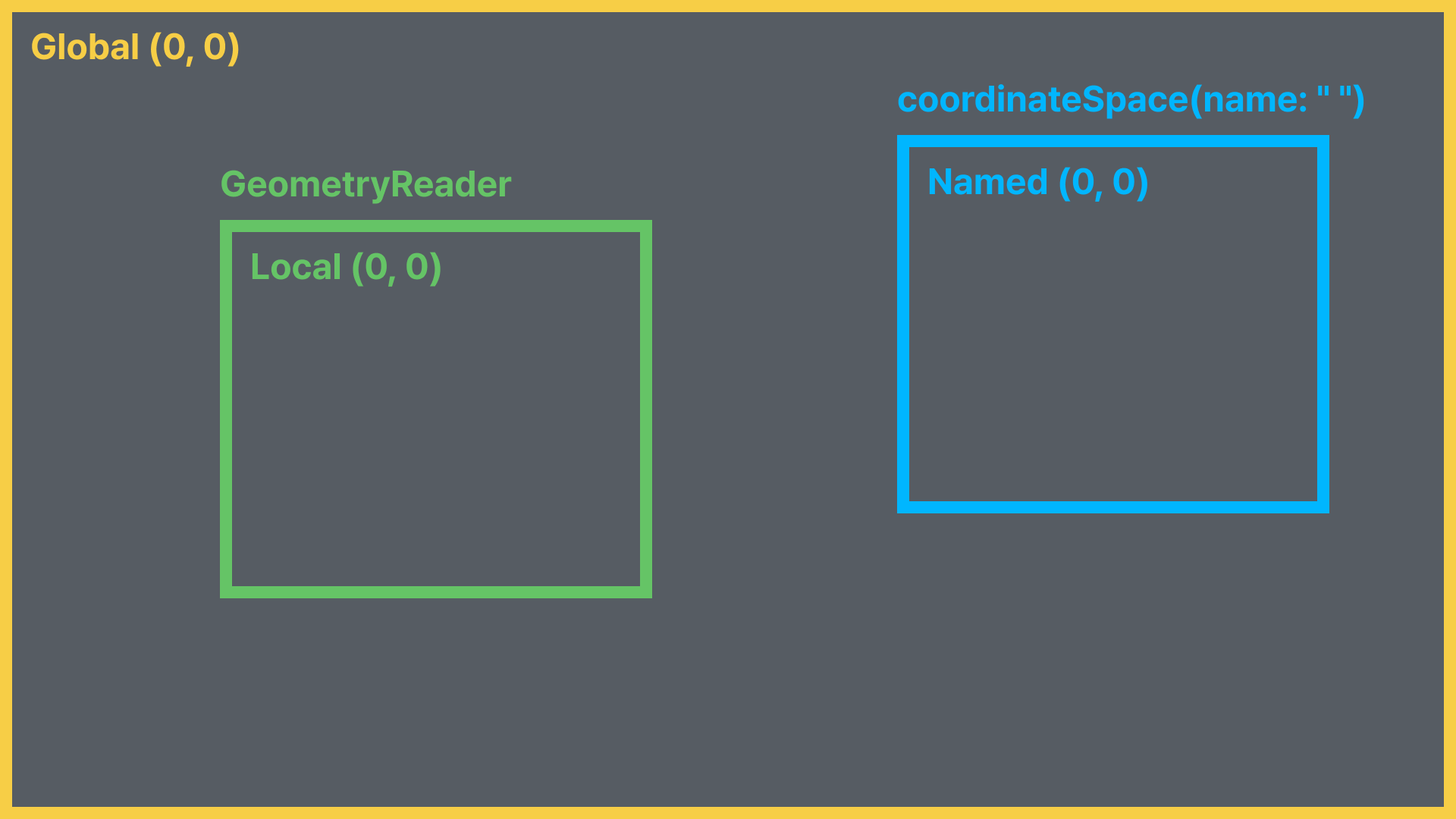
frmae(in:)을 통해 특정 좌표계를 기준으로 한 프레임 정보를 가저올 수 있다.
enum CoordinateSpace {
  case global // 화면 전체 영역 기준
  case local // GeometryReader 기준
  case named(AnyHashable) // 명시적으로 이름을 할당한 공간 기준
}
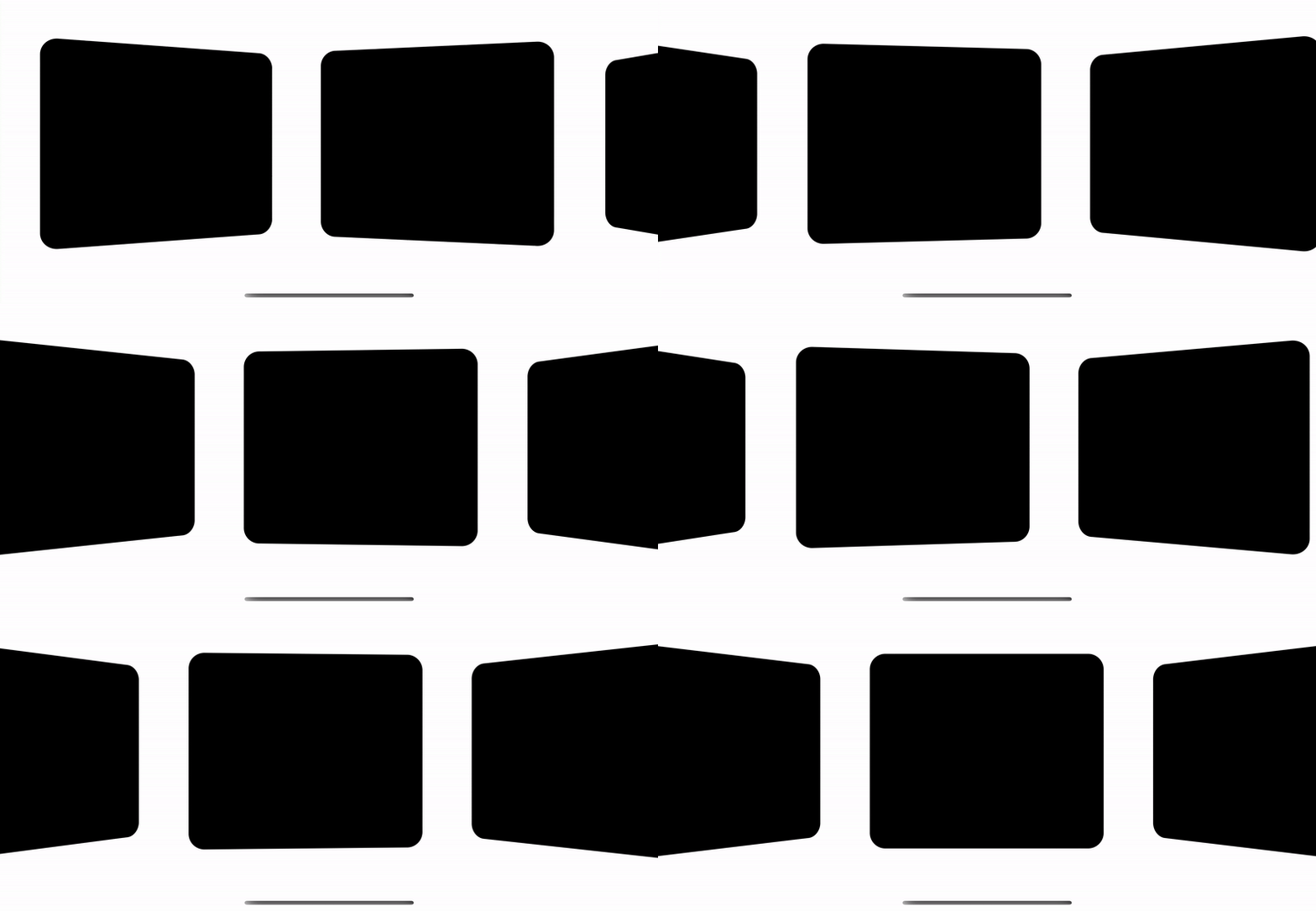
GeometryReader를 활용하여 다양한 특수효과를 표현할 수 있다.
struct GeometryReaderStudy: View {
    var body: some View {
        ScrollView(.horizontal, showsIndicators: false) {
            HStack {
                ForEach(0..<20) { index in
                    GeometryReader { geometry in
                        RoundedRectangle(cornerRadius: 20)
                            .rotation3DEffect(
                            	// 카드의 현재 위치에 따라 각도를 다르게 조절
                                Angle(degrees: getPercentage(geo: geometry)) * 20,
                                axis: (x: 0.0, y: 1.0, z: 0.0))
                    }
                    .frame(width: 300, height: 250)
                    .padding()
                }
            }
        }
    }
    func getPercentage(geo: GeometryProxy) -> Double {
    	// 화면의 중앙 위치
        let maxDistance = UIScreen.main.bounds.width / 2
        // 화면 전체 영역 기준 카드의 현재 중앙 좌표
        let currentX = geo.frame(in: .global).midX
        // 두 위치에 대한 비율 계산
        return Double(1 - (currentX / maxDistance))
    }
}