safeAreaInset으로 안전 영역에 콘텐츠 배치하기
safeAreaInset의 edge와 spacing이 콘텐츠 영역에 미치는 영향을 상단·하단 배치 예제로 살펴봅니다.

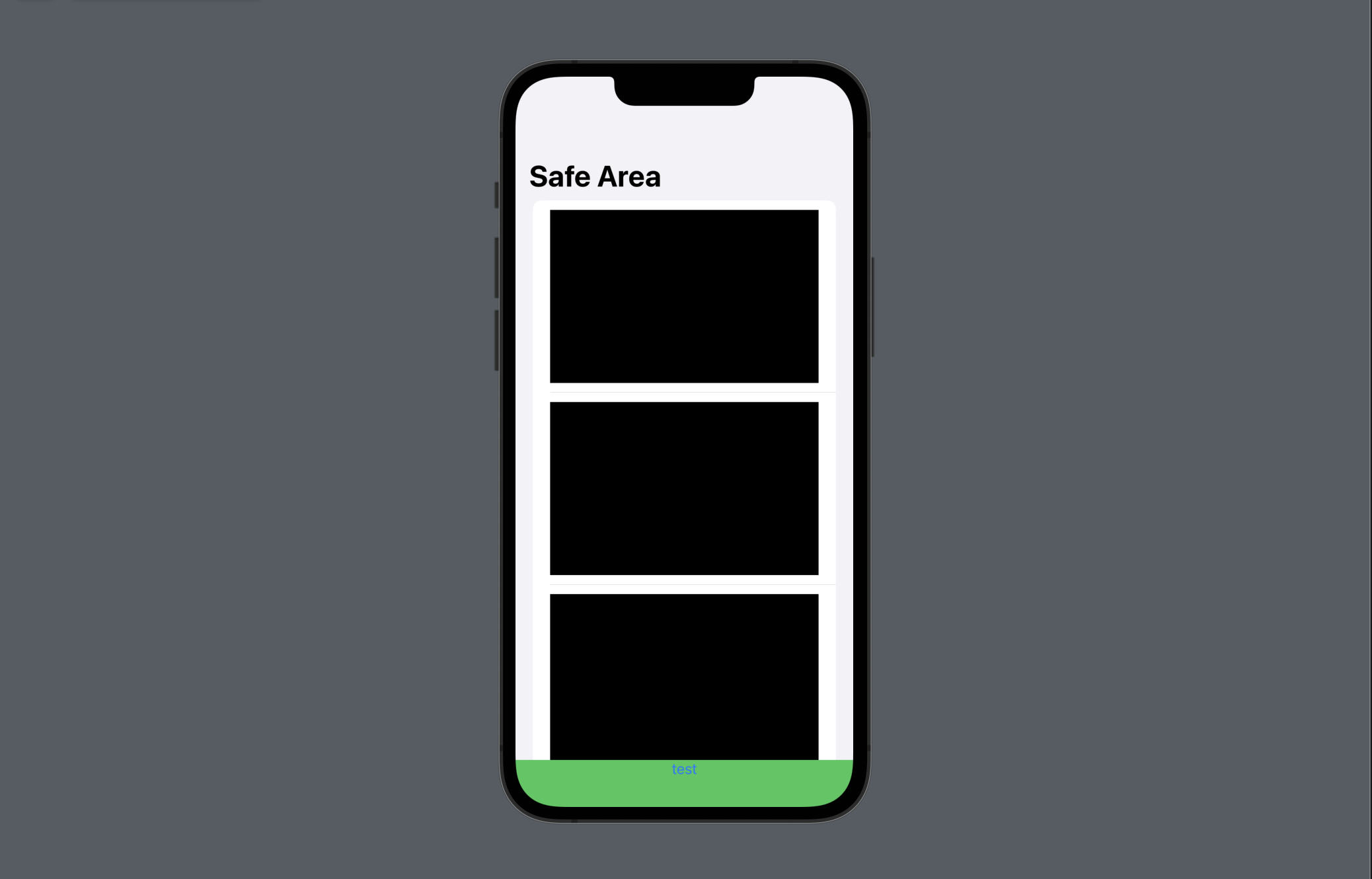
화면 아래에 버튼을 고정하면 콘텐츠의 마지막 부분이 버튼 뒤에 가려지기 쉽다. safeAreaInset은 단순히 뷰를 겹치는 대신 콘텐츠가 사용할 수 있는 안전 영역 자체를 조정한다.
safeAreaInset
디바이스 화면의 가장자리 등 SafeArea에 여백을 추가하여 뷰를 배치할 수 있다.
struct SafeAreaInsetStudy: View {
    var body: some View {
        NavigationStack {
            List(0..<10) { _ in
                Rectangle()
                    .frame(height: 200)
            }
            .navigationTitle("Safe Area")
            // 하단 SafeArea에 뷰 추가
            .safeAreaInset(edge: .bottom, alignment: .center, spacing: nil) {
                Button("test") {
                    // test button code
                }
                .frame(maxWidth: .infinity)
                .background(Color.green)
            }
        }
    }
}
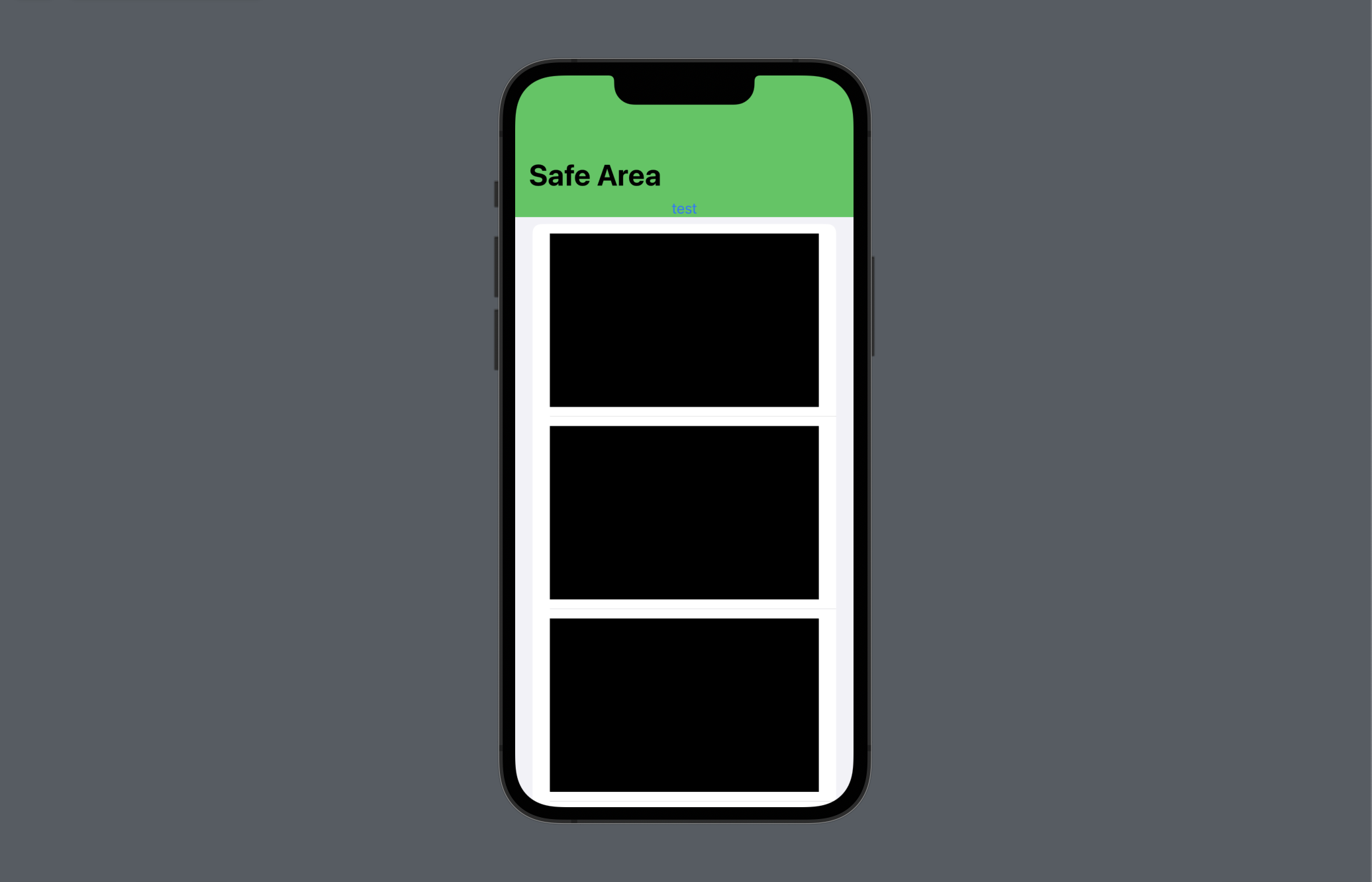
navigationTitle이 존재하는 상황에서 상단에 뷰를 추가할 경우, navigationTitle 영역을 포함한다.
struct SafeAreaInsetStudy: View {
    var body: some View {
        NavigationStack {
            List(0..<10) { _ in
                Rectangle()
                    .frame(height: 200)
            }
            .navigationTitle("Safe Area")
            // 상단 SafeArea에 뷰 추가
            .safeAreaInset(edge: .top, alignment: .center, spacing: nil) {
                Button("test") {

                }
                .frame(maxWidth: .infinity)
                .background(Color.green)
            }
        }
    }
}
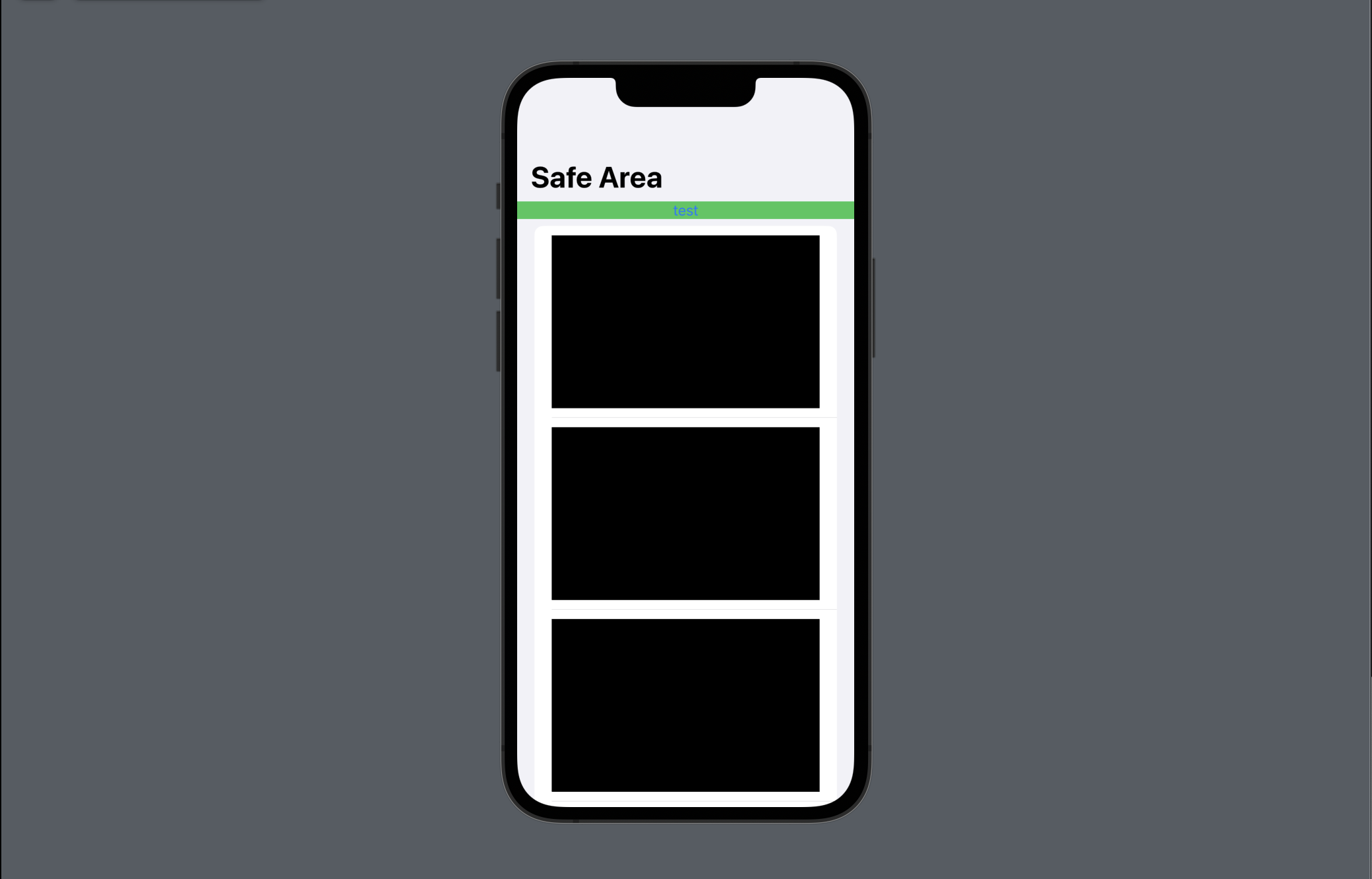
 그러나 추가하는 뷰 하단의 SafeArea를 무시하는 경우,
 navigationTitle 영역을 포함하지 않는다.
struct SafeAreaInsetStudy: View {
    var body: some View {
        NavigationStack {
            List(0..<10) { _ in
                Rectangle()
                    .frame(height: 200)
            }
            .navigationTitle("Safe Area")
            .safeAreaInset(edge: .top, alignment: .center, spacing: nil) {
                Button("test") {
                    // test button code
                }
                .frame(maxWidth: .infinity)
                // 추가하는 뷰 하단의 SafeArea 무시
                .background(Color.green.edgesIgnoringSafeArea(.bottom))
            }
        }
    }
}