UIViewRepresentable로 UIKit과 SwiftUI 연결하기
makeUIView와 updateUIView, Coordinator를 이용해 UIKit 뷰와 SwiftUI 상태를 양방향으로 연결합니다.

SwiftUI만으로 화면을 만들다가도 UIKit에만 있는 뷰나 기존 컴포넌트를 가져와야 할 때가 있다. UIViewRepresentable은 두 프레임워크 사이에 얇은 번역 계층을 만드는 방법이다.
UIViewRepresentable Protocol
SwiftUI는 기본적으로 UIKit을 대체하는 새로운 프레임워크이지만, UIKit에서 제공하는 커스텀 뷰를 SwiftUI에 통합하여 사용해야 하는 경우 활용한다. UIViewRepresentable Protocol은 makeUIView, updateUIView 두 가지 요구사항을 가지고 있다.
makeUIView
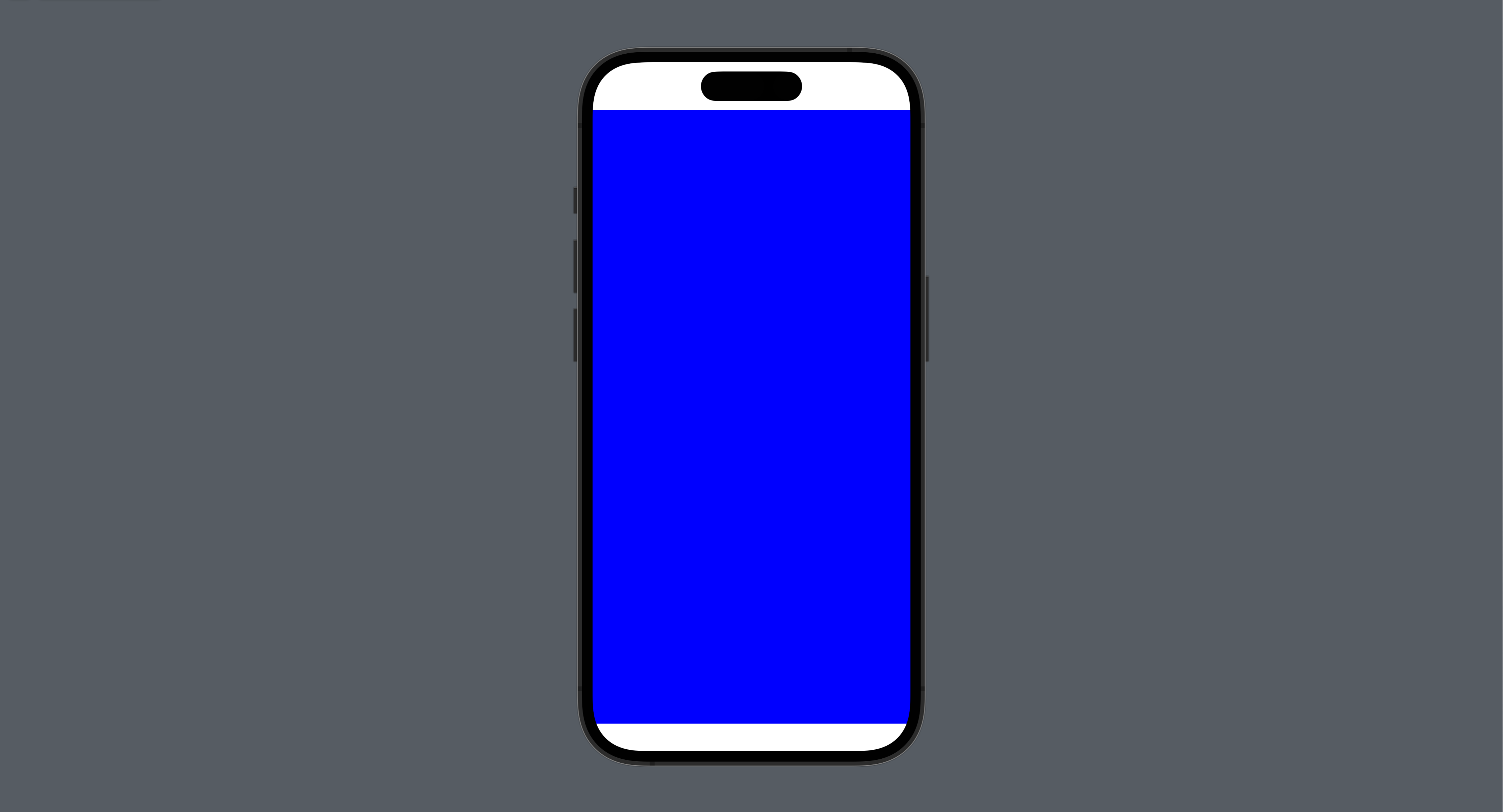
SwiftUI 뷰가 생성될 때 호출되어, UIView 인스턴스를 생성하고 초기화한다. 초기화 과정에서 UIView의 초기 설정을 진행하고 생성된 UIView를 반환한다.
struct UIViewRepresentableStudy: View {
    var body: some View {
        BasicUIViewRepresentable()
    }
}

struct BasicUIViewRepresentable: UIViewRepresentable {

    // UIView 인스턴스 생성 및 초기화
    func makeUIView(context: Context) -> some UIView {
        let view = UIView()
        view.backgroundColor = .blue
        return view
    }

    func updateUIView(_ uiView: UIViewType, context: Context) {

    }
}
updateUIView
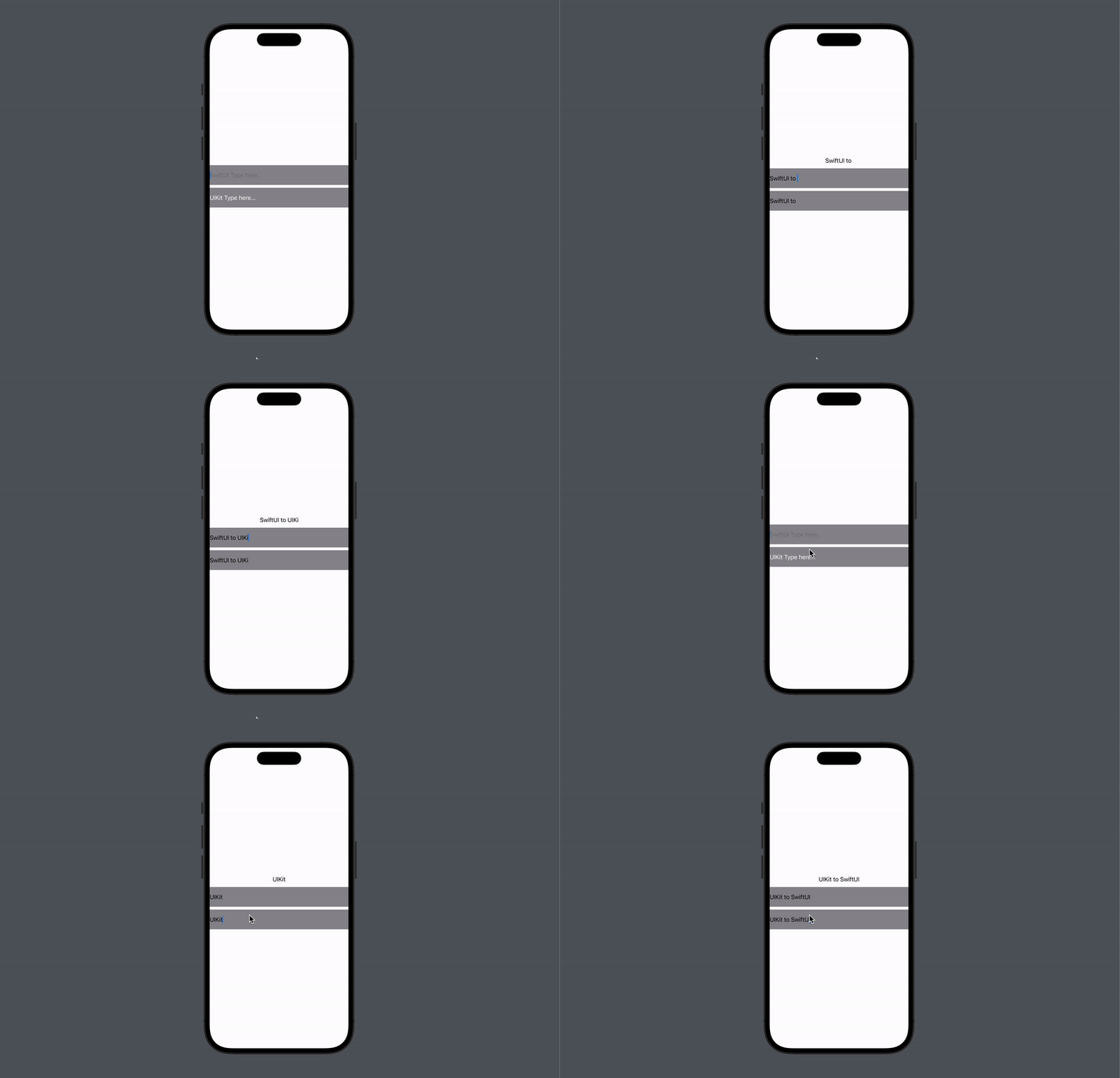
SwiftUI 뷰가 업데이트되는 시점에 호출되며, 변경된 데이터가 있는 경우 이를 통해 UIView를 업데이트한다. @Binding을 이용하여 SwiftUI에서 UIKit 방향으로 데이터를 업데이트한다.
struct UIViewRepresentableStudy: View {

    @State private var text: String = ""

    var body: some View {
        VStack {
            Text(text)
            TextField("SwiftUI Type here..", text: $text)
                .frame(height: 56)
                .background(Color.gray)
            UITextFieldViewRepresentable(text: $text)
                .frame(height: 56)
                .background(Color.gray)
        }
    }
}

struct UITextFieldViewRepresentable: UIViewRepresentable {

    @Binding var text: String

    // 반환 타입을 UITextField으로 명시
    func makeUIView(context: Context) -> UITextField {
        let textfield = UITextField(frame: .zero)
        let placeholder = NSAttributedString(string: "UIKit Type here...", attributes: [.foregroundColor : UIColor.white])
        textfield.attributedPlaceholder = placeholder
        return textfield
    }

    func updateUIView(_ uiView: UITextField, context: Context) {
    	// SwiftUI에서 UIKit 방향으로 데이터 업데이트
        uiView.text = text
    }
}
Coordinator
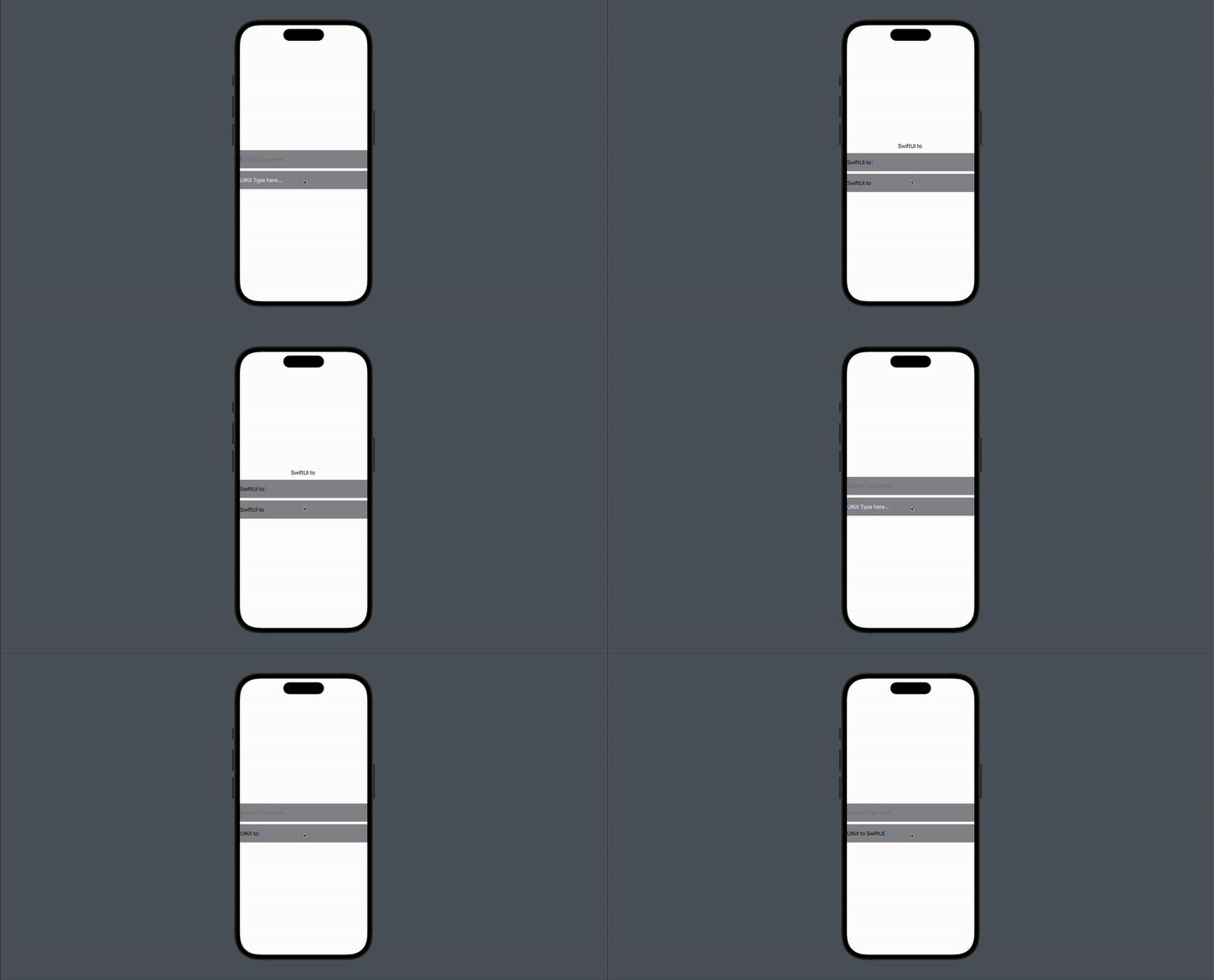
UIKit의 뷰와 SwiftUI의 뷰 간의 통신을 위한 클래스로 UIKit의 데이터를 SwiftUI로 업데이트할 때 사용된다. 구조체 내에 Coordinator 클래스를 선언하고 makeCoordinator 메서드를 구현하여 Coordinator 인스턴스를 생성하고 반환한다. textfield의 delegate를 Coordinator로 설정하여 UIKit의 데이터가 변경될 때 SwiftUI 뷰를 업데이트한다.
struct UIViewRepresentableStudy: View {

    @State private var text: String = ""

    var body: some View {
        VStack {
            Text(text)
            TextField("SwiftUI Type here..", text: $text)
                .frame(height: 56)
                .background(Color.gray)
            UITextFieldViewRepresentable(text: $text)
                .frame(height: 56)
                .background(Color.gray)
        }
    }
}

struct UITextFieldViewRepresentable: UIViewRepresentable {

    @Binding var text: String

    func makeUIView(context: Context) -> UITextField {
        let textfield = UITextField(frame: .zero)
        let placeholder = NSAttributedString(string: "UIKit Type here...", attributes: [.foregroundColor : UIColor.white])
        textfield.attributedPlaceholder = placeholder
        // delegate를 Coordinator로 설정
        textfield.delegate = context.coordinator
        return textfield
    }

    func updateUIView(_ uiView: UITextField, context: Context) {
        uiView.text = text
    }

	// makeCoordinator 구현
    func makeCoordinator() -> Coordinator {
        return Coordinator(text: $text)
    }

	// Coordinator 선언
    class Coordinator: NSObject, UITextFieldDelegate {

        @Binding var text: String

        init(text: Binding<String>) {
            self._text = text
        }

        func textFieldDidChangeSelection(_ textField: UITextField) {
        	// UIKit에서 SwiftUI 방향으로 데이터 업데이트
            text = textField.text ?? ""
        }
    }
}